Topview
    • MCP/Skill
    • Plugin
    • API
    • Pricing
    1. Home
    2. Skybox AI Alternative

    AI Ads

    AI Video AgentAI Ads VideoAI Product VideoAI UGC VideoURL to Video

    AI Avatar

    AI Avatar GeneratorProduct AvatarDesign My AvatarAI Lip Sync

    AI Video

    AI Video GeneratorDrama StudioAI Video Body SwapAI Video UpscalerAI Video Watermark RemoverTikTok Watermark RemoverSora Watermark RemoverSubtitle RemoverAI Motion ControlAI Lip SyncURL to Video

    AI Image

    AI Image GeneratorAI Face SwapAI Image Character SwapAI Image UpscalerAI InpaintAI Image Text EditorPhoto Angle EditorAI RelightingAI Product PhotographyAI Virtual Try-OnAI Storyboard GeneratorExtract Color PaletteImage to Prompt

    AI Voice

    VoiceoverAI Voice CloningAI Music Generator

    3D

    3D World Generator3D Shot Composer

    Use Cases

    AdvertisingAffiliate MarketingEcommerceDTC BrandsAI Live Stream

    Resources

    BlogAffiliate ProgramLearning CenterAlternativeAPI

    Company

    Topview StudioPrivacy PolicyTerms
    Topview

    © 2026 TOPVIEW PTE. LTD.

    Singapore: 20 Collyer Quay #20-03, Singapore 049319
    Los Angeles: 15970 Los Serranos CC Dr #251, Chino Hills, CA 91709

    360° panoramas vs explorable worlds

    Skybox AI Alternative Guide

    For a typical 360° panorama workflow, Skybox-style tools place the viewer inside a panoramic environment. Topview 3D World generates explorable Gaussian Splat scenes you can move through and capture from many angles—this page compares both approaches objectively so you can pick the right workflow.

    01 Before

    Image → Explorable World
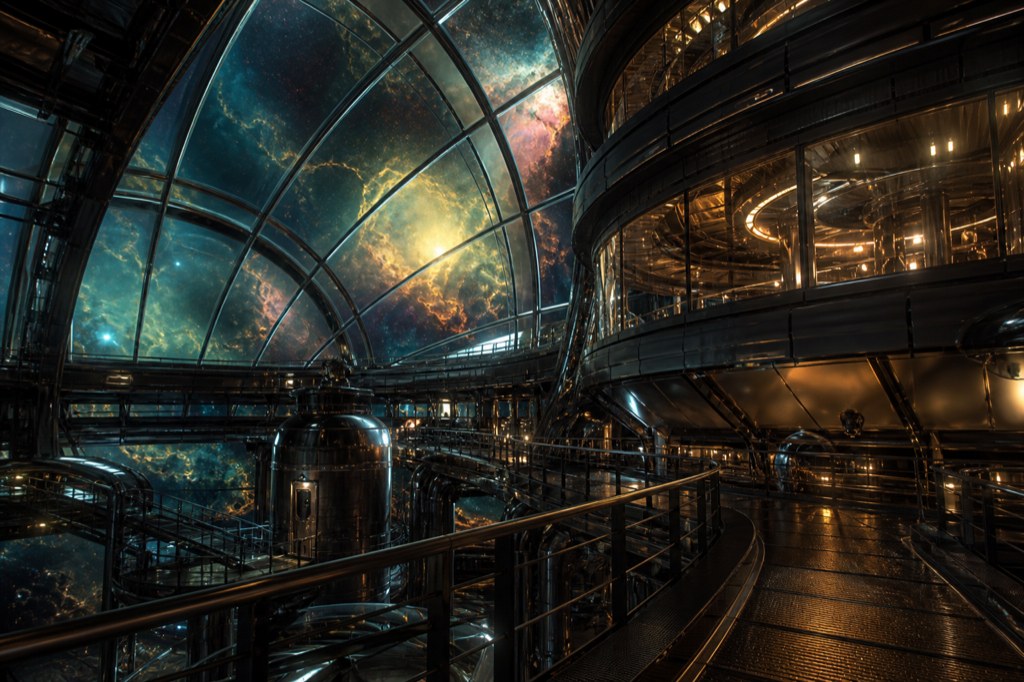
    Orbital observatory reference image for the 3D world case

    02 After

    Marble 1.1 Plus

    Image1
    ·

    Optional: add one image or one video (up to 30s). Image and video cannot be used together.

    What is a skybox-style 360° environment?

    A skybox (or 360° panorama environment) typically places the viewer at a fixed point inside a spherical or cubic wrap of imagery. You can look around, but the workflow usually does not involve walking through the space. Explorable 3D worlds on Topview use Gaussian Splats so you can move with WASD and mouse look, then screenshot specific framings back to Canvas.

    Skybox panorama vs explorable 3D world

    Different formats for different creative jobs—neither replaces every use case.

    Aspect360° skybox styleTopview 3D world
    Viewer movementLook around from a fixed originMove through the scene in 3D
    Best forQuick immersive backdrops and VR-style wrapsShot planning, walk-through concepting, multi-angle captures
    Output on TopviewNot the primary Topview formatGaussian Splat card + Canvas screenshot nodes
    Capture workflowOften one panoramic still or cube mapMany aspect ratios from inside the scene
    Canvas integrationWorkflow varies by tool and destinationNative 3D World cards beside image and video nodes

    When an explorable world fits better

    Creators who need depth and multiple framings often outgrow a single wrap.

    Walk the set before you shoot

    Move through locations to find hero angles instead of guessing from one panoramic viewpoint.

    Multiple captures, one generation

    Screenshot 9:16, 16:9, or 21:9 frames from the same world for different deliverables.

    Canvas-native pipeline

    3D World cards and captured image nodes stay on the Infinite Canvas with your other AI media.

    Text, image, or video inputs

    Generate worlds from a prompt or one reference—no requirement to start from an equirectangular panorama.

    How to create an explorable world on Topview

    A skybox-alternative workflow centered on navigation and capture.

    1. 01

      Open 3D World in Canvas

      Launch the 3D World dock from the Creation sidebar on your project canvas.

    2. 02

      Generate from prompt or reference

      Describe the environment or upload one image or short video. Select a Marble model and generate.

    3. 03

      Explore and capture framings

      Enter full-screen mode, move through the splat, and capture the views you need back onto the canvas.

    Related 3D tools on Topview

    AI 3D World Generator

    Hub for text, image, and video to explorable worlds.

    Gaussian Splat Generator

    Generate splats without capture hardware.

    Marble 3D Worlds in Canvas

    Marble-powered worlds inside Topview.

    Image to 3D World vs Model

    Meshes versus roamable worlds explained.

    Frequently asked questions

    Objective answers comparing skybox panoramas with Topview explorable 3D worlds.

    No. Topview focuses on explorable Gaussian Splat worlds inside Canvas, not equirectangular skybox generation. Blockade Labs Skybox AI is a separate product with its own strengths.

    Topview emphasizes in-scene exploration and screenshot capture to Canvas image nodes. It is not primarily a 360° panorama exporter like many skybox tools.

    Skybox-style panoramas are often optimized for all-around immersion from one point. Explorable worlds suit creators who need to move and reframe—choose based on your deliverable, not a single winner.

    No. Topview generates worlds from text, one image, or one short video. You do not need to bring an equirectangular skybox file.

    Yes. Some teams use skybox tools for quick wraps and Topview worlds for walk-through concepting. Captured Topview frames can still reference panoramic plates in image generation.

    An explorable Gaussian Splat world on a 3D World card, plus PNG captures you place on Canvas—not a downloadable GLB mesh or STL file.

    3D World generation uses Marble models with credits shown in Canvas before you generate.

    No. Topview AI is independent. Skybox AI and Blockade Labs are mentioned here only to explain category differences.

    Open Canvas, generate a 3D world, enter full-screen exploration, and capture each framing you need. That path is built for multiple viewpoints from one scene.

    Want depth instead of a fixed wrap?

    Generate an explorable 3D world on Topview Canvas and capture the angles your project needs.

    Compare workflows · Capture multiple aspect ratios from one scene