Topview
    • MCP/Skill
    • Plugin
    • API
    • Pricing
    1. Home
    2. Marble 3d World

    AI Ads

    AI Video AgentAI Ads VideoAI Product VideoAI UGC VideoURL to Video

    AI Avatar

    AI Avatar GeneratorProduct AvatarDesign My AvatarAI Lip Sync

    AI Video

    AI Video GeneratorDrama StudioAI Video Body SwapAI Video UpscalerAI Video Watermark RemoverTikTok Watermark RemoverSora Watermark RemoverSubtitle RemoverAI Motion ControlAI Lip SyncURL to Video

    AI Image

    AI Image GeneratorAI Face SwapAI Image Character SwapAI Image UpscalerAI InpaintAI Image Text EditorPhoto Angle EditorAI RelightingAI Product PhotographyAI Virtual Try-OnAI Storyboard GeneratorExtract Color PaletteImage to Prompt

    AI Voice

    VoiceoverAI Voice CloningAI Music Generator

    3D

    3D World Generator3D Shot Composer

    Use Cases

    AdvertisingAffiliate MarketingEcommerceDTC BrandsAI Live Stream

    Resources

    BlogAffiliate ProgramLearning CenterAlternativeAPI

    Company

    Topview StudioPrivacy PolicyTerms
    Topview

    © 2026 TOPVIEW PTE. LTD.

    Singapore: 20 Collyer Quay #20-03, Singapore 049319
    Los Angeles: 15970 Los Serranos CC Dr #251, Chino Hills, CA 91709

    Powered by Marble · Inside Topview Canvas

    Marble 3D World in Canvas

    Topview is not the official World Labs website. It is an online creation entry where you generate Marble-powered 3D worlds on the Infinite Canvas, enter them in full screen, and send captured views back into your image and video pipeline.

    01 Before

    Image → Marble World
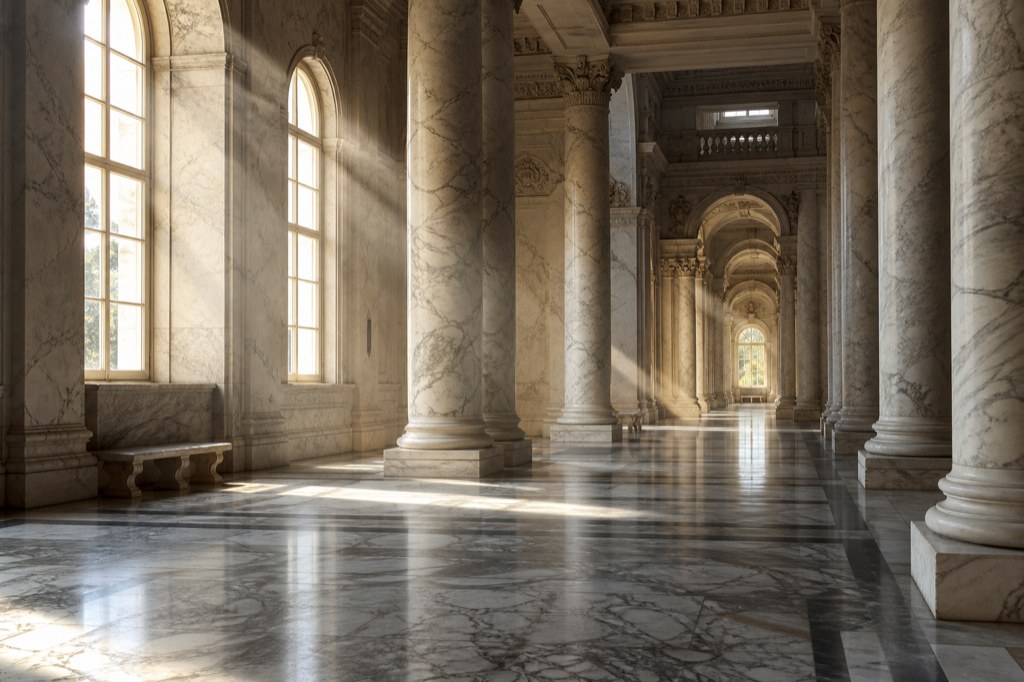
    Monumental classical marble hall reference image for the 3D world case

    02 After

    Marble 1.1 Plus

    Image1
    ·

    Optional: add one image or one video (up to 30s). Image and video cannot be used together.

    What is a Marble 3D world on Topview?

    Marble is World Labs' model family for generating navigable 3D scenes. Topview offers Marble-powered 3D World generation inside Canvas: describe a space or add one reference, generate a Gaussian Splat world card, then explore and screenshot without leaving the same workspace where you edit images and video.

    Why use Marble inside Topview Canvas

    Marble generation plus Canvas-native exploration and capture—not a separate export-only portal.

    One Infinite Canvas workflow

    3D World cards sit next to image and video nodes. Captured frames become new image nodes for the next generation step.

    Marble 1.1 and 1.1 Plus

    Choose Marble 1.1 for standard worlds or Marble 1.1 Plus for a Larger World. Credits are shown before you generate.

    Full-screen exploration

    Enter the splat scene with keyboard and mouse, adjust FOV, and choose aspect ratios from 9:16 to 21:9 for captures.

    Text, image, or video inputs

    Start from a prompt alone or combine text with one image or one short video—image and video cannot be mixed.

    Topview Canvas vs the official World Labs platform

    An honest positioning guide—choose the entry that matches your workflow.

    Topview Canvas (this page)

    • Marble-powered 3D World generation embedded in an Infinite Canvas with image and video tools.
    • Explore worlds in place and screenshot views back as Canvas image nodes.
    • Built for creators chaining 3D concepting into downstream AI media.

    Official World Labs properties

    • World Labs operates its own products and websites for Marble and related research.
    • Topview is not affiliated with or operated by World Labs.
    • For World Labs' own offerings, visit their official channels—not this page.

    How to create a Marble world in Canvas

    From Marble model selection to screenshot capture.

    1. 01

      Open 3D World on Canvas

      Use the Creation sidebar or context menu to open the 3D World dock.

    2. 02

      Choose Marble and generate

      Add a prompt and optional reference media. Select Marble 1.1 or Marble 1.1 Plus, review credits, and generate.

    3. 03

      Explore and capture back

      When the card succeeds, enter full-screen mode, frame your shot, and send a PNG capture beside the 3D World card.

    Related 3D tools on Topview

    AI 3D World Generator

    Category hub for explorable world generation.

    Gaussian Splat Generator

    Learn generate-first splatting vs capture workflows.

    Skybox AI Alternative

    Panoramas compared with explorable worlds.

    Image to 3D World vs Model

    Mesh tools vs roamable worlds explained.

    Frequently asked questions

    Answers about Marble on Topview, World Labs positioning, inputs, and Canvas workflow.

    No. Topview AI is an independent product that offers Marble-powered world generation inside Canvas. For official World Labs products and announcements, refer to World Labs' own websites and channels.

    Topview offers Marble 1.1 for standard worlds and Marble 1.1 Plus for Larger World generation. Credits are shown in Canvas before you generate.

    A text prompt, one image, or one video up to 30 seconds. Text can pair with either media type, but image and video references cannot be used together.

    You explore in full screen and capture views back to Canvas as image nodes. Direct download of the SPZ world for external tools is not currently supported on Topview.

    Topview focuses on Canvas-native creation: Marble worlds live beside your other nodes, and screenshots feed image and video generation in the same project.

    No. Marble worlds on Topview are generated from AI inputs—text, image, or video—not from scanning a real location.

    A 3D World card appears on your canvas. Open it anytime to re-enter exploration and capture additional angles.

    Captures become standard image nodes. Use them with Topview's image tools, reference them in video generation, or keep them as shot references.

    No. Marble on Topview produces explorable Gaussian Splat scenes for navigation and capture—not downloadable GLB or STL mesh exports.

    Ready to create a Marble world in Canvas?

    Open Topview Canvas, pick a Marble model, and generate an explorable scene you can walk through and capture.

    Not the official World Labs site · Marble models inside Topview