Topview
    • MCP/Skill
    • Plugin
    • API
    • Pricing
    1. Home
    2. Photo Angle Editor

    AI Ads

    AI Video AgentAI Ads VideoAI Product VideoAI UGC VideoURL to Video

    AI Avatar

    AI Avatar GeneratorProduct AvatarDesign My AvatarAI Lip Sync

    AI Video

    AI Video GeneratorDrama StudioAI Video Body SwapAI Video UpscalerAI Video Watermark RemoverTikTok Watermark RemoverSora Watermark RemoverSubtitle RemoverAI Motion ControlAI Lip SyncURL to Video

    AI Image

    AI Image GeneratorAI Face SwapAI Image Character SwapAI Image UpscalerAI InpaintAI Image Text EditorPhoto Angle EditorAI RelightingAI Product PhotographyAI Virtual Try-OnAI Storyboard GeneratorExtract Color PaletteImage to Prompt

    AI Voice

    VoiceoverAI Voice CloningAI Music Generator

    3D

    3D World Generator3D Shot Composer

    Use Cases

    AdvertisingAffiliate MarketingEcommerceDTC BrandsAI Live Stream

    Resources

    BlogAffiliate ProgramLearning CenterAlternativeAPI

    Company

    Topview StudioPrivacy PolicyTerms
    Topview

    © 2026 TOPVIEW PTE. LTD.

    Singapore: 20 Collyer Quay #20-03, Singapore 049319
    Los Angeles: 15970 Los Serranos CC Dr #251, Chino Hills, CA 91709

    Photo Angle Editor: Adjust Image Perspective Online

    Correct image perspective, fix keystone distortion, and change photo angles online with AI — no reshoots needed.

    Choose a camera view and adjust the angle before generating.
    Rotation0°
    Tilt0°
    Zoom0
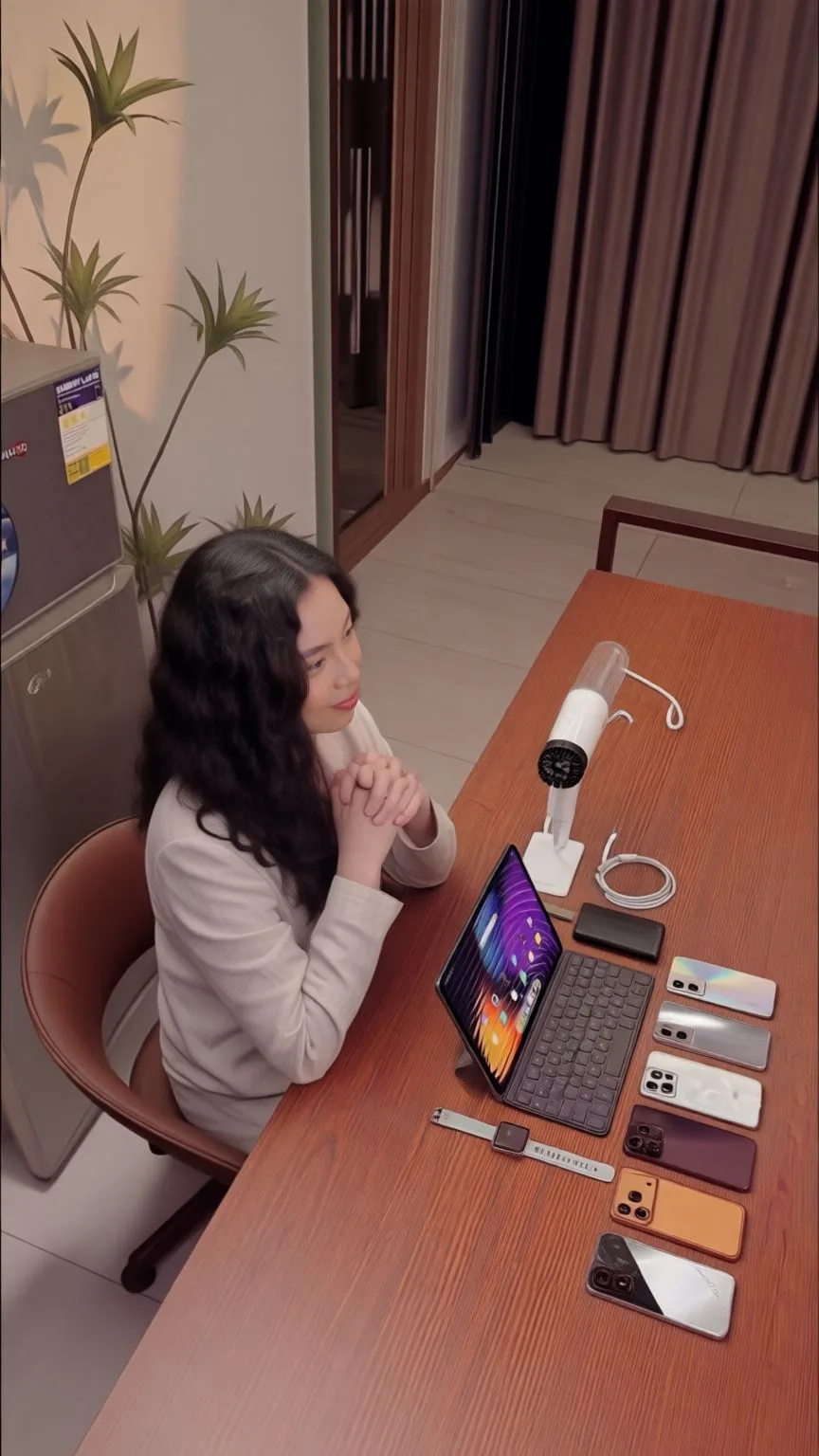
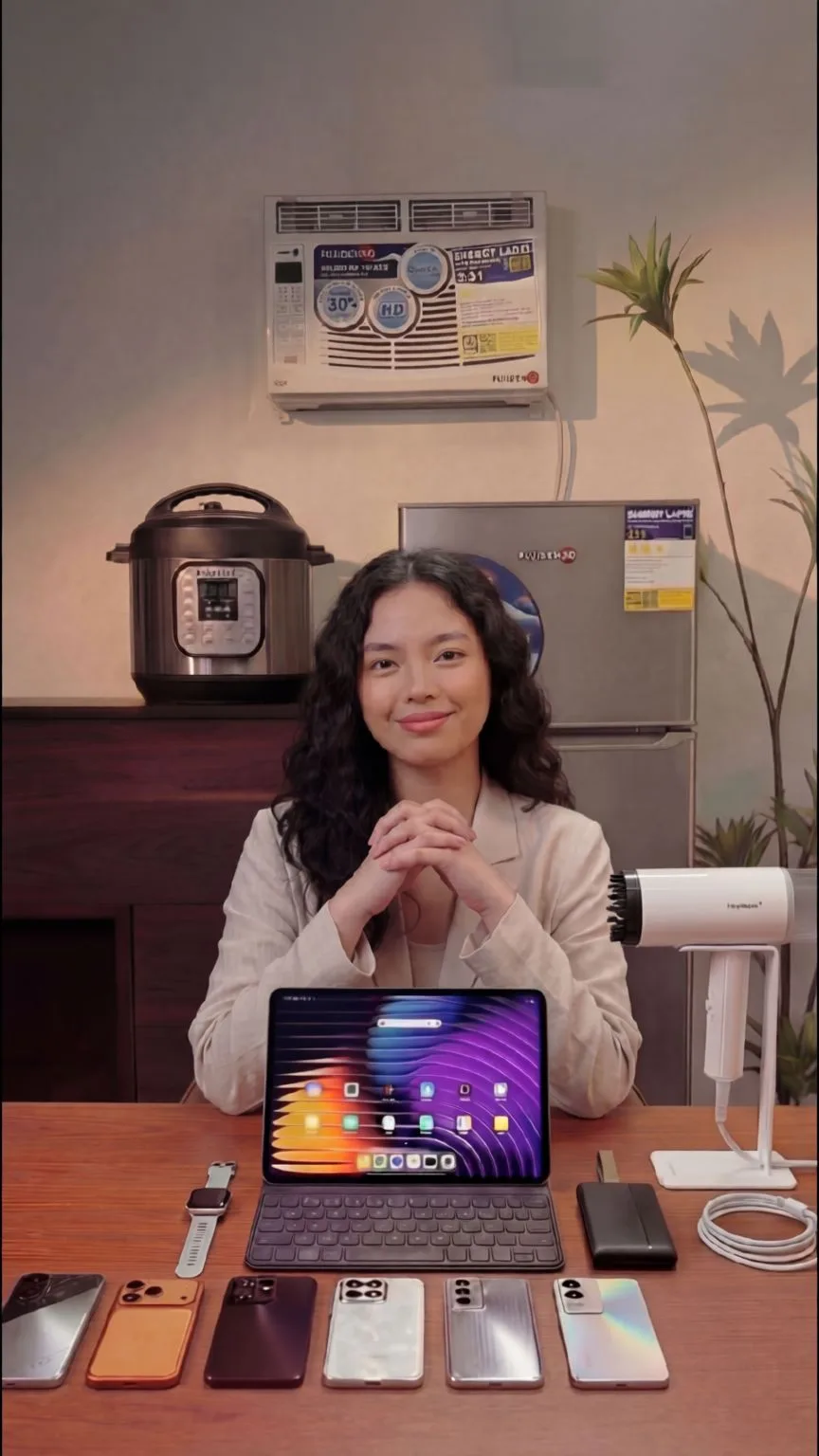
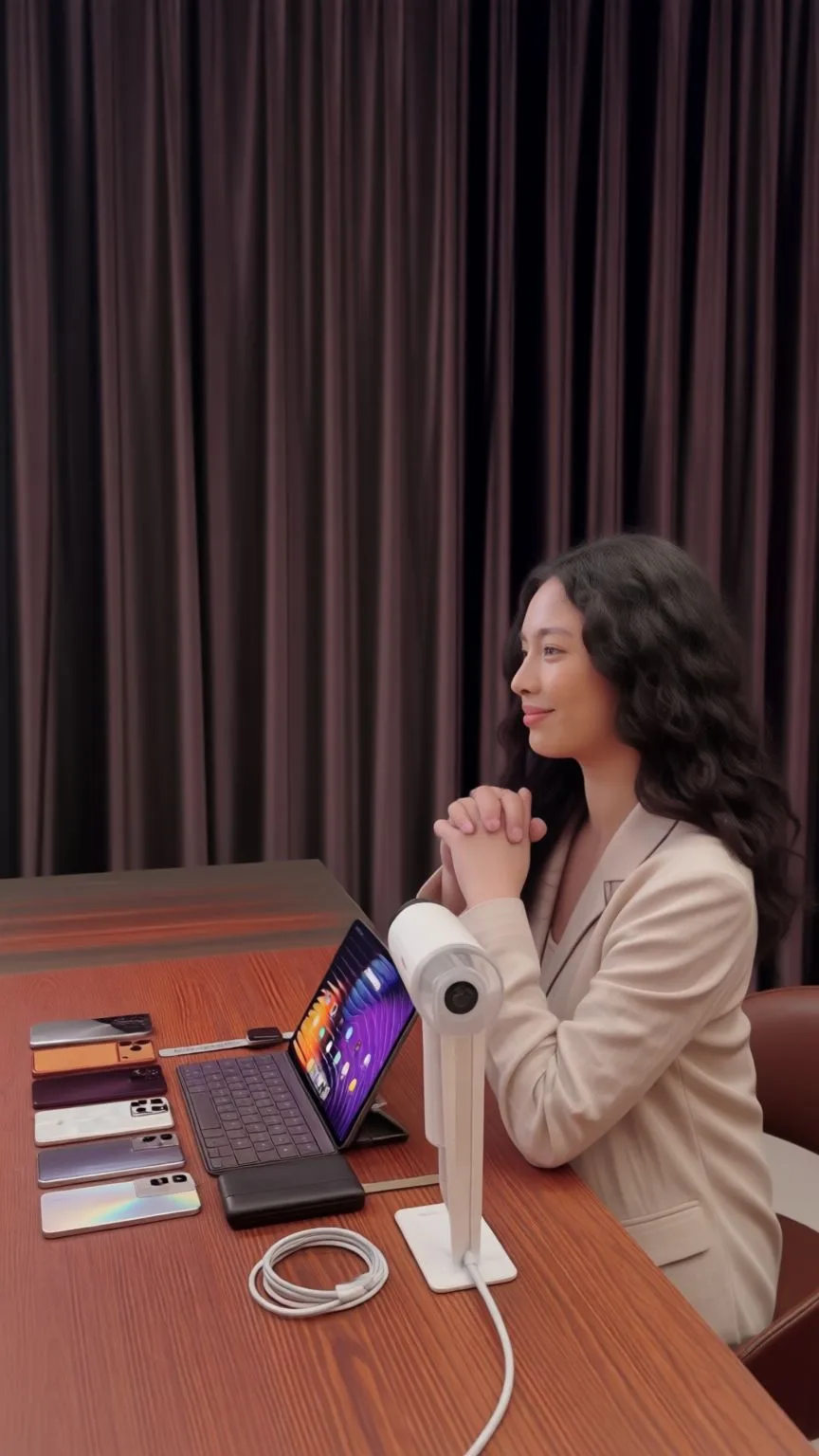
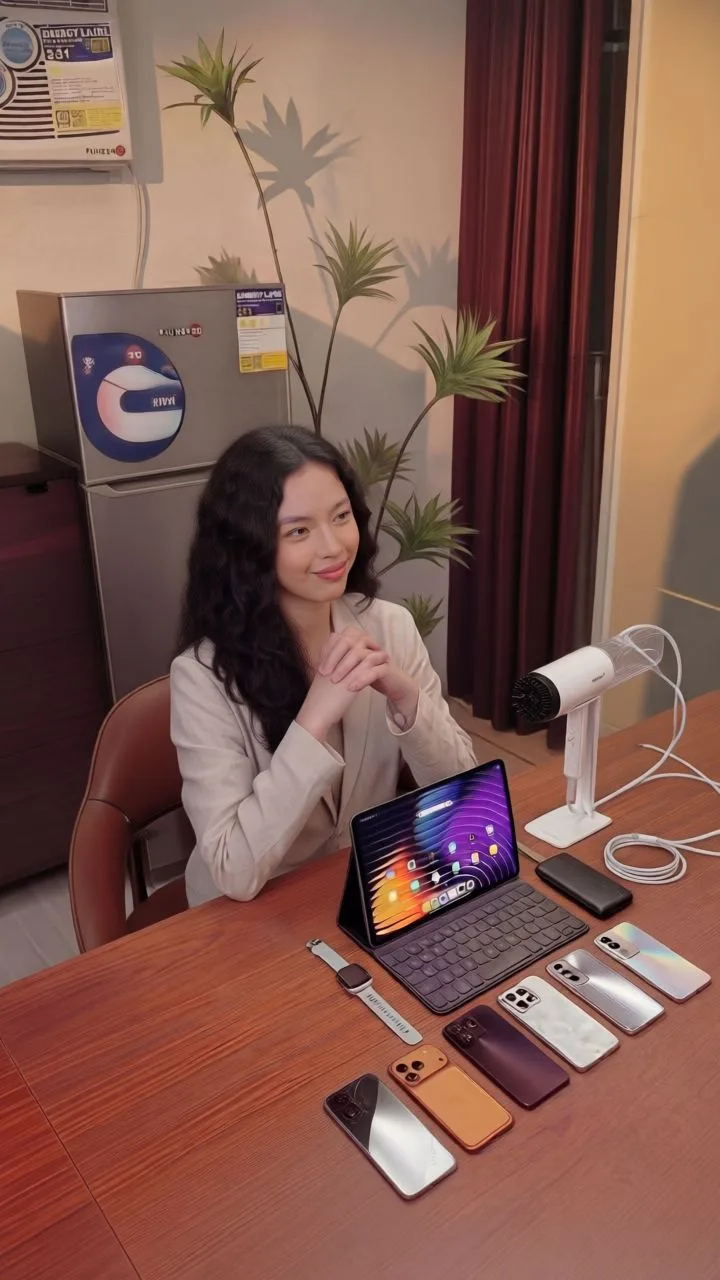
    AI-generated photo angle and perspective preview
    AI-generated photo angle and perspective preview
    AI-generated photo angle and perspective preview
    AI-generated photo angle and perspective preview
    AI-generated photo angle and perspective preview

    Photo Angle Editor Camera Angle Examples

    Wide right camera angle generated from a commercial photo
    Wide right
    Left camera angle generated from a commercial photo
    Left
    Front camera angle generated from a commercial photo
    Front
    Right camera angle generated from a commercial photo
    Right
    Wide left camera angle generated from a commercial photo
    Wide left

    Photo Angle Editor: Commercial Shoot

    THREE WAYS TO EDIT ANGLES

    Image Perspective Correction Online with AI

    Use this photo angle editor to correct image perspective online, straighten tilted lines, fix keystone distortion, and make product, real estate, or architecture photos look natural.

    Real Estate Shoot

    Use perspective correction for real estate shots shown in the page carousel, from bird's-eye and high-angle views to eye-level interiors.

    E-Commerce Product Visuals

    Make product visuals look cleaner and more consistent before using them in ecommerce galleries or campaign assets.

    Architecture Photos

    Straighten converging verticals and tilted facades with keystone correction so architecture photos look level and professionally composed.

    AI Angle Changer: Change the Angle of an Image

    Change the angle of an image with AI and generate side, top, low-angle, or three-quarter views while keeping the subject consistent. Use the AI angle changer for product, creative, and marketing visuals without a new shoot.

    Commercial Shoot

    Generate wide right, left, front, right, and wide left views from one commercial image, matching the existing page demo.

    Creative Shoot

    Explore low-angle, side-left, front, side-right, and top-down views for creator and marketing visuals.

    Product Angle Variations

    Turn a single product photo into multiple marketing-ready angle variations for hero images, ecommerce galleries, and social carousels.

    Fix the Angle of a Photo with AI

    Fix the angle of a photo, correct skewed lines, and clean up perspective issues in product, real estate, and architecture images before publishing them.

    Real Estate Photo Editor

    Fix skewed interiors and architecture shots before adding them to property listings or real estate campaigns.

    Product Photo Editor

    Correct off-angle product photos so ecommerce images, listing photos, and marketing visuals feel consistent.

    Listing-Ready Exports

    Export corrected architecture and product photos that look straight, consistent, and ready for listings and campaigns.

    WHY CHOOSE PHOTO ANGLE EDITOR

    Why Choose Photo Angle Editor

    Designed for AI creators. Trusted by professionals. Built for scale.
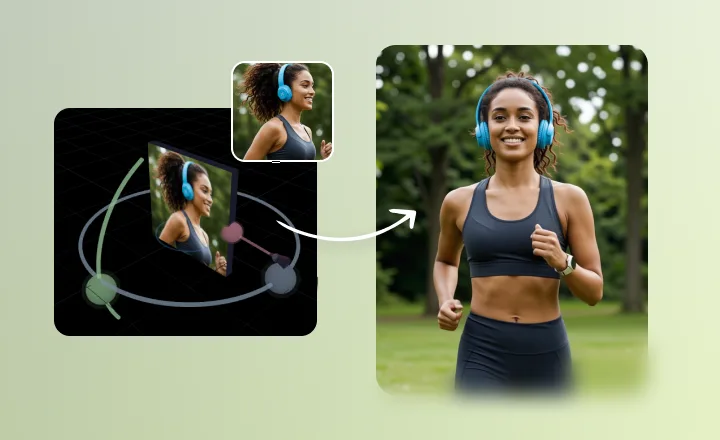
    Tilted photo rescued with one-click AI perspective and angle correction

    Salvage Your Shots: Turn "Rejects" into Masterpieces

    Rescue Every Shot! One-Click Perspective & Angle Fixer

    Missed the perfect angle? No reshoots needed! Using advanced AI reconstruction, instantly restore tilted or distorted images to their ideal perspective. From architectural correction to product top-downs, it's as easy as a single drag.
    AI Enhanced3D ControlReal-time
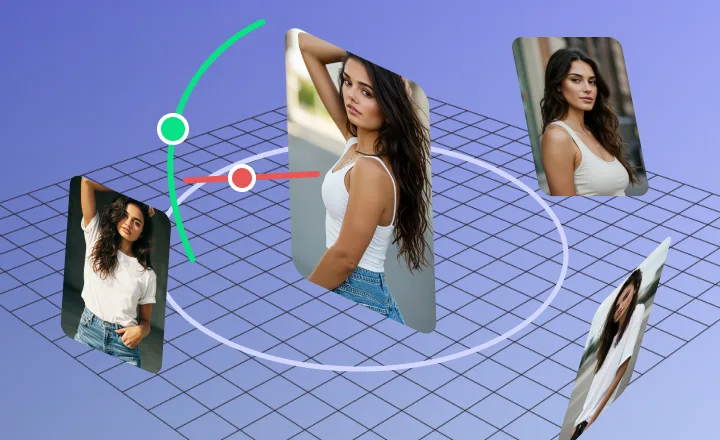
    Single product photo expanded into multiple 360-style camera views

    Virtual Reimagining: One Image, Infinite Possibilities

    360° Views from a Single Photo

    Forget the expensive studio. Upload one product photo and let AI automatically generate top, side, and low-angle views. Make your product pages more immersive and watch your conversion rates soar.
    AI Enhanced3D ControlReal-time
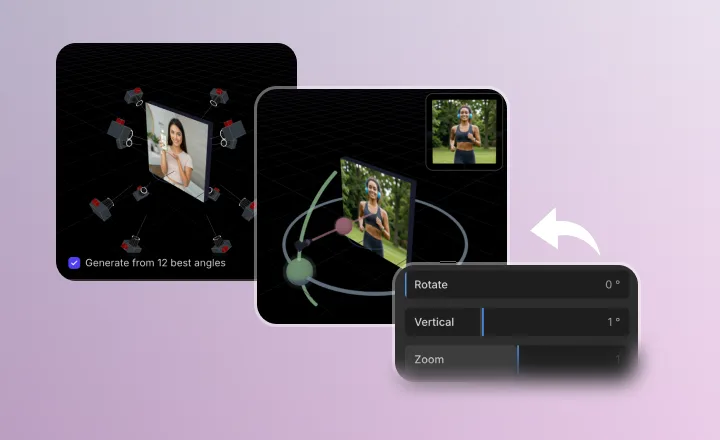
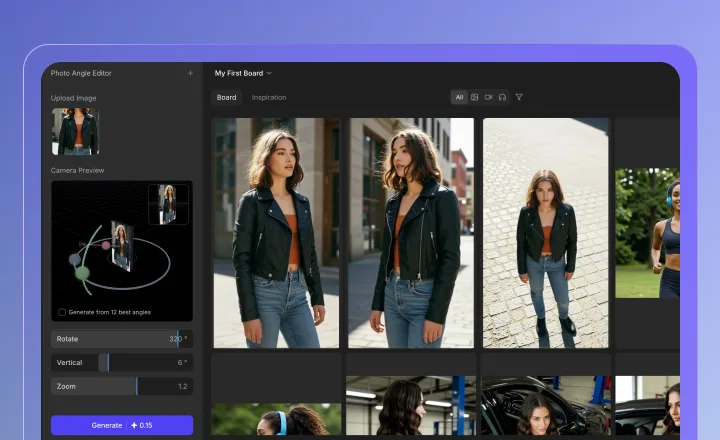
    Interactive 3D camera controls adjusting photo perspective in the browser

    Intuitive Control: A 3D Studio Right in Your Browser

    Intuitive 3D Interactive Lens Adjustment

    Say goodbye to complex Photoshop parameters. Just drag the virtual camera slider for instant, what-you-see-is-what-you-get results. Professional spatial perspective adjustments are now as simple as applying a filter.
    AI Enhanced3D ControlReal-time
    Browser-based photo angle editor delivering precise online perspective control

    Lightweight Production: Smooth Editing Without the Bloat

    Online Precision Angle Editor: Zero Downloads, Pixel-Perfect Control

    Skip the heavy software. Achieve professional-grade results directly in your browser. With large-screen previews and precise mouse control, every degree and every pixel is under your total command.
    AI Enhanced3D ControlReal-time
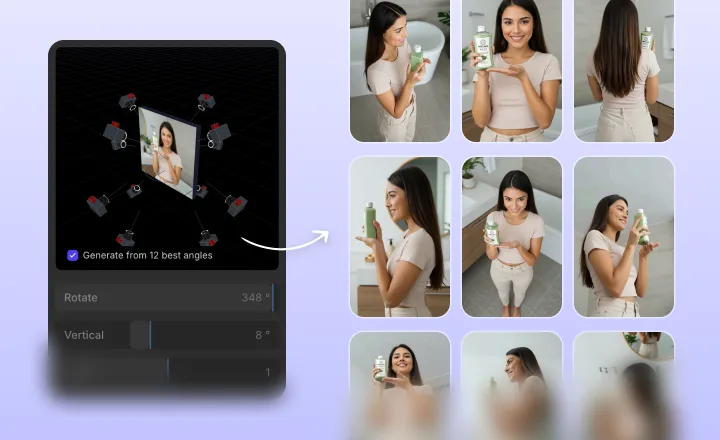
    Twelve-angle marketing suite generated from one source photo

    Content Multiplication: Instant Marketing Kits for Every Channel

    Instant 12-Angle "Golden Suite": Be Your Own Photography Crew

    End the monotony of repetitive shooting. With one click, the system captures 12 "Master-Class" compositions, including eye-level, high/low tilt, and wrap-around views. Perfect for hero images and social media carousels—test your products faster than ever.

    AI Enhanced3D ControlReal-time

    INDUSTRIES

    Photo Angle Editor Use Cases by Industry

    Empowering professionals across every sector to create perfection.

    1

    E-Commerce

    Create flawless product visuals that drive conversions.

    2

    Real Estate

    Showcase properties in their best light without distractions.

    3

    Marketing Agencies

    Deliver high-end campaign assets at record speed.

    4

    Film & Production

    Accelerate post-production with AI-powered cleanup.

    5

    Content Creators

    Maintain a polished feed with effortless editing tools.

    6

    Education

    Create clear, distraction-free educational materials.

    WORKFLOW
    How to Use Photo Angle Editor

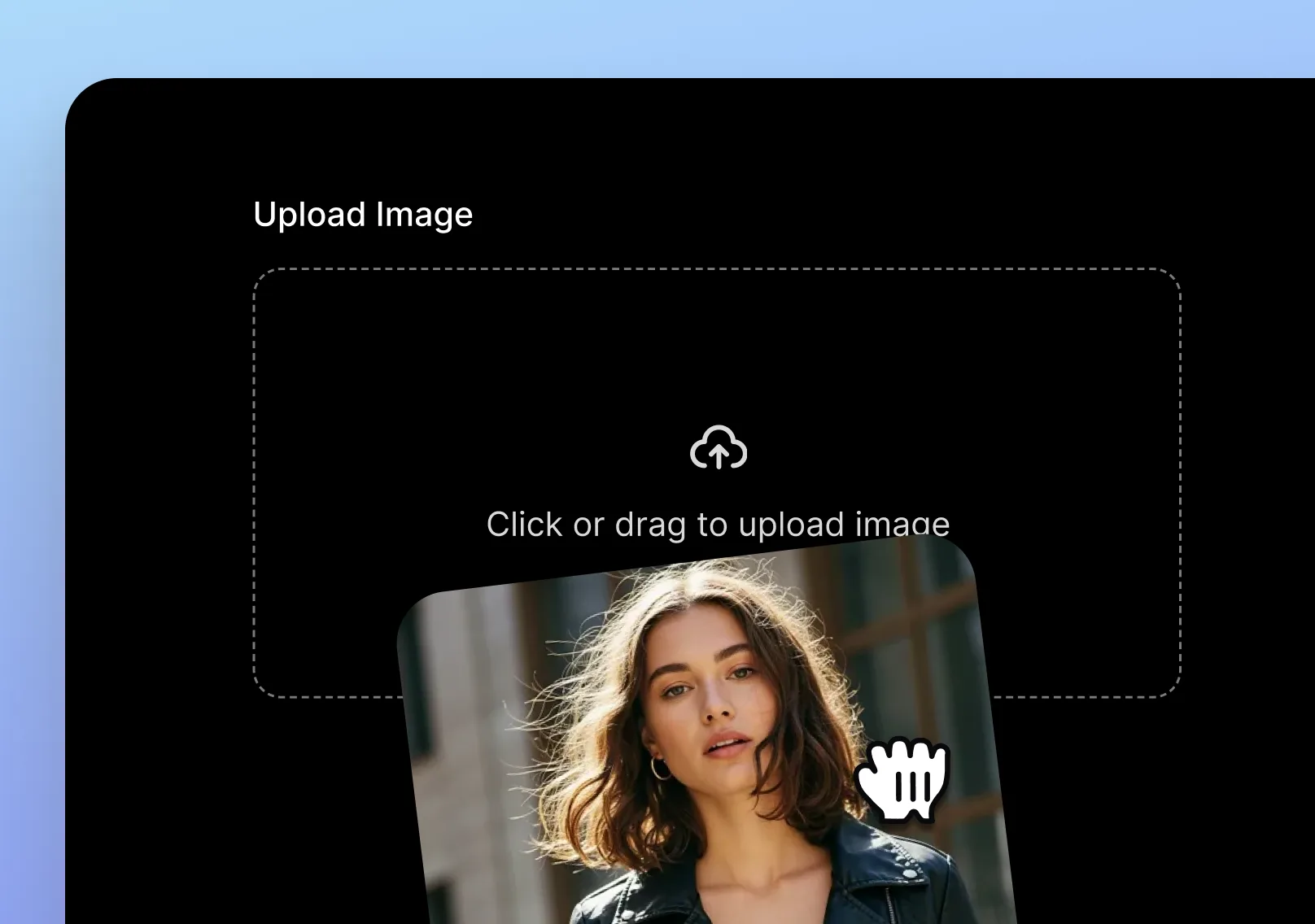
    1. Upload a JPG, PNG, or WEBP image to Photo Angle Editor
      01

      Upload Image

      Simply drag and drop your JPG, PNG, or WEBP file directly into the upload area to get started.
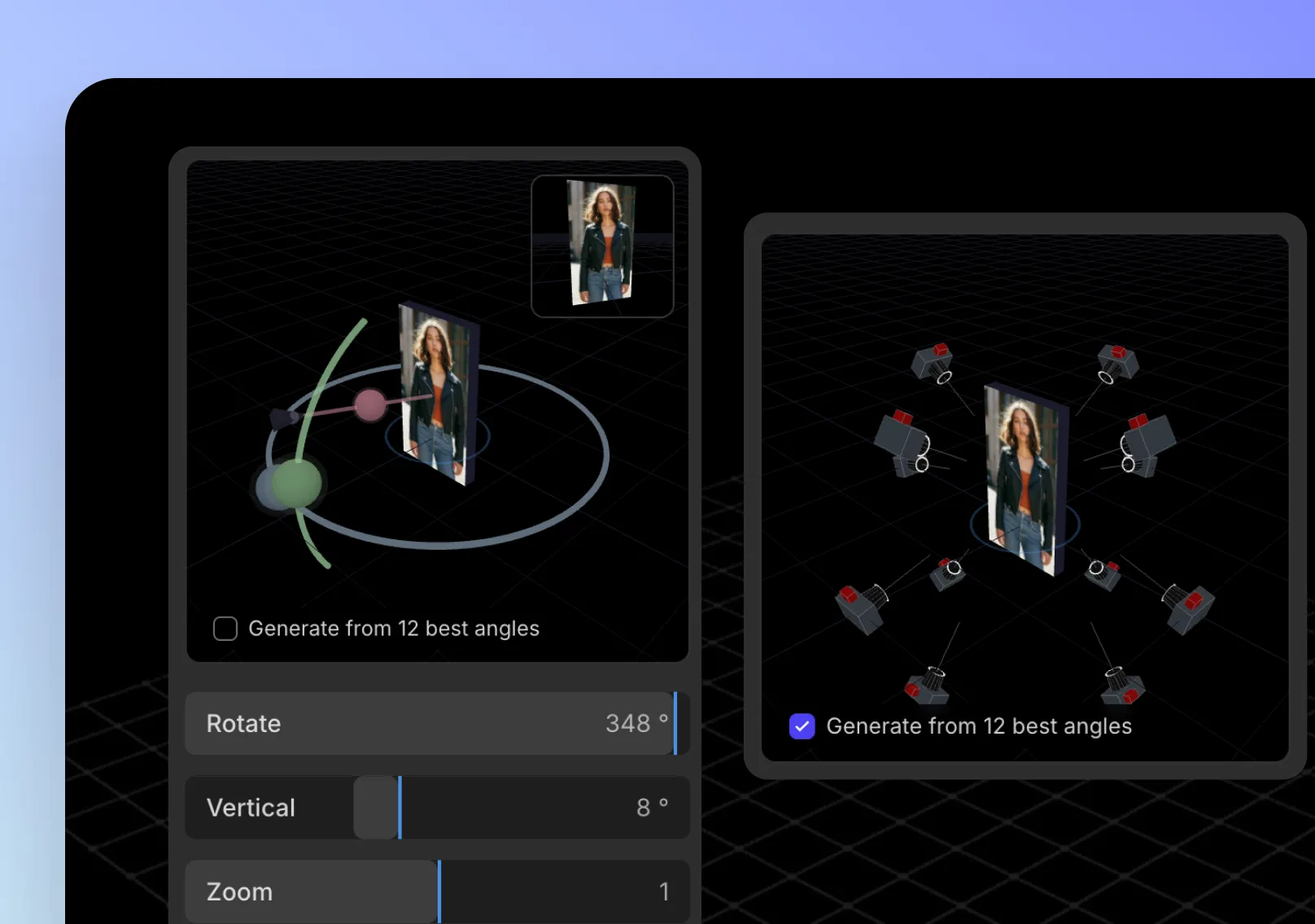
    2. Adjust photo perspective with interactive 3D camera controls
      02

      Adjust the Angle

      Use the interactive 3D camera controls to rotate, tilt, and pan your image to the perfect viewing angle.
    3. Generate and export a high-quality photo angle edit
      03

      Generate & Export

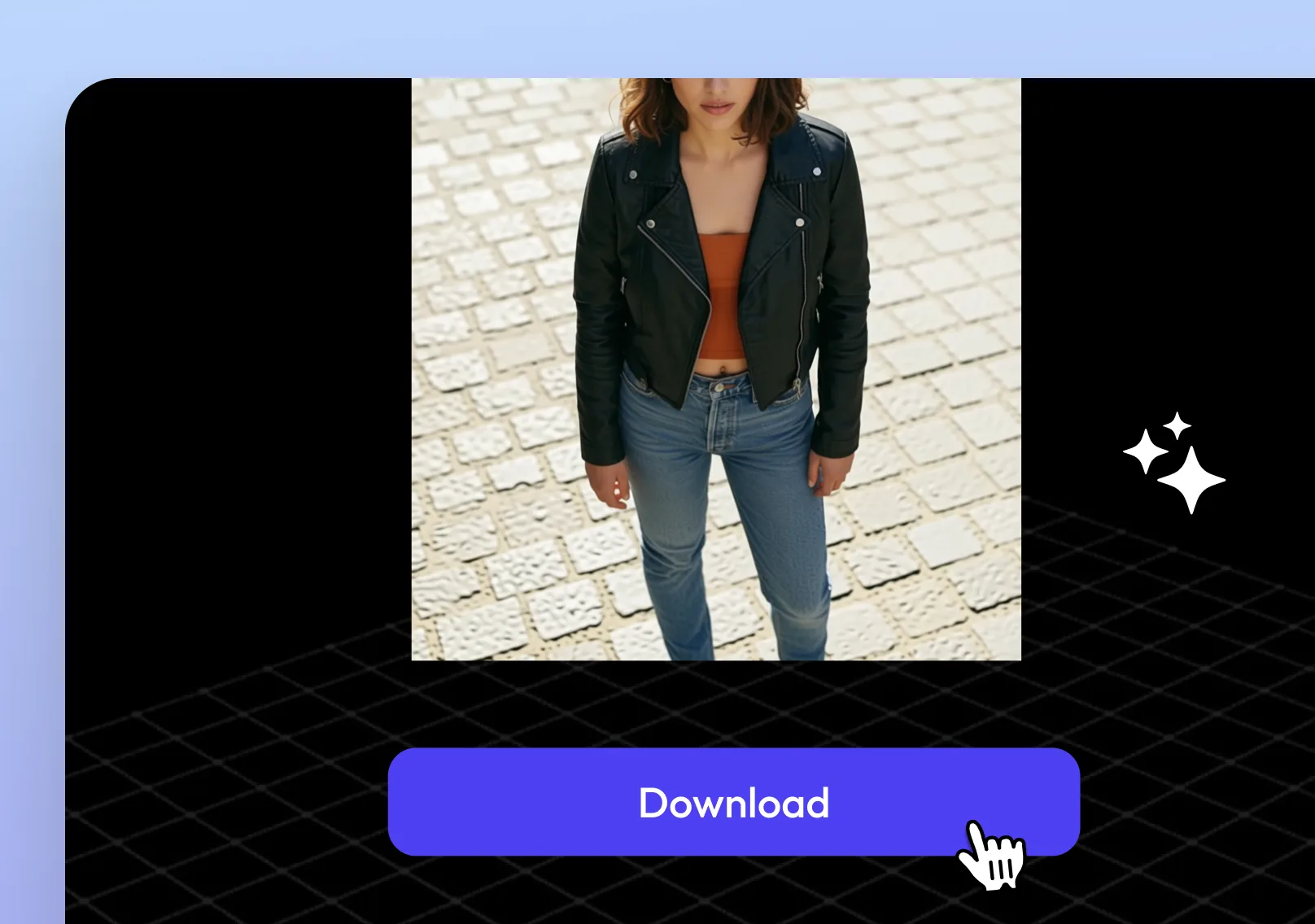
      Confirm your view, render a high-quality image, and export it as a JPG or PNG file.

    More AI Tools

    More AI Tools

    Explore Topview's complete suite of AI tools for ads, avatars, video, image, and voice workflows.

    AI Ads

    AI Video AgentAI Ads VideoAI Product VideoAI UGC VideoURL to Video

    AI Avatar

    AI Avatar GeneratorProduct AvatarDesign My AvatarAI Lip Sync

    AI Video

    AI Video GeneratorAI Video Body SwapAI Video UpscalerAI Video Watermark RemoverAI Motion ControlURL to Video

    AI Image

    AI Image GeneratorAI Face SwapAI Image Character SwapAI Image UpscalerAI InpaintAI Image Text EditorAI RelightingAI Product PhotographyAI Virtual Try-OnAI Storyboard Generator

    AI Voice

    VoiceoverAI Voice CloningAI Music Generator

    Photo Angle Editor FAQs

    Photo Angle Editor lets you upload a single image and generate new viewpoint images through interactive 3D camera control, with AI depth-aware completion to keep scenes realistic and intact.

    Yes. You can try the photo angle editor online to evaluate the workflow and output quality before upgrading.

    Perspective correction fixes tilted lines, keystone distortion, or skewed geometry in the original photo. Changing an image angle creates a new camera viewpoint, such as a side, top, or low-angle view. This editor supports both workflows.

    After you confirm your target view, rendering a high-precision image typically takes about ~30 seconds.

    The system is designed to preserve structure and geometry to reduce warping. For best realism, avoid extreme pitch changes and keep the subject well-centered.

    Input: JPG, PNG, WEBP. Output: JPG, PNG.

    You can freely explore angles with 3D controls, and you can also generate a 12-view matrix for quick variations.

    Yes. You can simulate lens behavior by adjusting aperture and focal length and selecting a focus point.

    Yes—provided you have the rights to your source images and you follow the platform's commercial terms.

    Files are processed securely. Don't upload sensitive content you don't have permission to use.

    Yes. Upload the same source images and recreate your preferred angle "style" using reusable camera settings and the 12-view workflow.

    Upload your photo to the photo angle editor, choose the perspective or camera angle you want, and let AI correct tilted lines or keystone distortion. It works for product photos, room shots, architecture images, and other photos that need image perspective correction.

    Upload your photo, choose the target camera view, and use the angle controls to adjust the photo angle online. The AI then generates a new side, top, low-angle, or three-quarter view without reshooting.

    Yes. The photo angle editor can help fix skewed photos with AI keystone correction, especially for product images, real estate interiors, and architecture photos where vertical or horizontal lines look tilted.