Link to Video — Turn Any Product URL Into Video
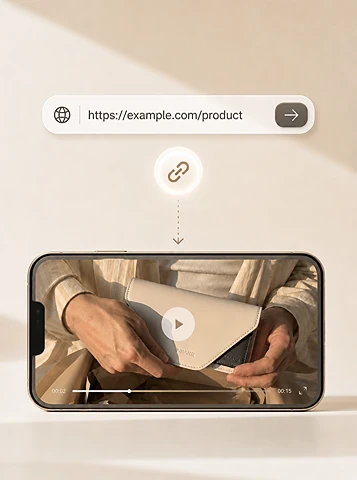
Paste an Amazon, Shopify, or landing-page link. Topview opens Canvas Agent with a structured prompt so you get a draft video with hooks, scenes, and captions.
Works with
- Ali Express
- Amazon
- E Bay
- Etsy
- Shopify
- TikTok Shop
- Free credits to try
- Works with ecommerce URLs
- Edit and iterate in Canvas
What is Link to Video?
Link to Video (also known as URL to Video) turns a webpage into a video draft in minutes. Paste an Amazon or Shopify product link, add audience and style cues, and Topview Agent builds a structured creative brief you can refine in Canvas.
Paste a link, get a video brief
Drop in any product URL and get a complete video workflow—scenes, captions, and pacing already mapped for Agent execution.
Auto-pulls product context
The Agent reads the page to extract product angles and on-page benefits, so you spend less time hunting for assets and copy.
Hook-first scripts from page content
Turns your listing into scroll-stopping copy: a strong hook, clear value props, and a CTA built for conversion.
Batch variants for testing
Generate multiple angles from one link—different hooks, offers, and CTAs—to run A/B tests and scale winners faster.
How to Convert a Link to Video
Three steps from product URL to an editable Canvas draft.
- 1
Paste your link
Add any public product page, landing page, or ecommerce listing URL.
- 2
Add optional creative cues
Optionally set audience, selling points, and visual style so the Agent knows the angle.
- 3
Generate in Canvas
Topview opens Canvas Agent with your prompt prefilled and auto-submitted so you can review, edit, and publish.
Who Uses Link to Video?
Built for teams that need product videos without starting from a blank timeline.
Marketers
- Performance ads
- Campaign creatives
- A/B testing at scale
Ecommerce sellers
- Amazon & Shopify videos
- Conversion-focused visuals
- Faster listing creatives
DTC brands
- Scalable content production
- Consistent brand storytelling
- More variants per SKU
Agencies
- Faster client delivery
- Higher creative output
- Reusable URL workflows
Why Topview for Link to Video?
Topview combines URL-aware prompting with a full Canvas workspace so drafts stay editable.
Purpose-built AI Agent
Not just a basic generator. Agent reasons through your product URL and creative cues to find a strong angle.
See moreDesigned for results
Optimized for high-converting ads, ecommerce listings, and marketing assets—not generic slideshows.
See moreFully editable in Canvas
After the first draft, refine copy, swap visuals, reorder scenes, and keep iterating without leaving Topview.
See moreEnd-to-end workflow
From link analysis cues to Agent execution and Canvas editing—one product surface for the whole loop.
See more
Built for ecommerce product pages
Paste links from major marketplaces and storefronts. Topview Agent turns product page context into a Canvas-ready video brief.
Works with popular platforms
- Ali Express
- E Bay
- Etsy
- Shopify
- TikTok Shop
Link to Video FAQ
Ready to turn a product link into video?
Paste a URL above, choose a style, and let Topview Agent draft your next product video in Canvas.
Try it with free credits. Additional usage follows your plan.