Topview
    • MCP/Skill
    • Plugin
    • API
    • Pricing
    1. Home
    2. Seedance Prompt Templates

    AI Ads

    AI Video AgentAI Ads VideoAI Product VideoAI UGC VideoURL to Video

    AI Avatar

    AI Avatar GeneratorProduct AvatarDesign My AvatarAI Lip Sync

    AI Video

    AI Video GeneratorDrama StudioAI Video Body SwapAI Video UpscalerAI Video Watermark RemoverTikTok Watermark RemoverSora Watermark RemoverSubtitle RemoverAI Motion ControlAI Lip SyncURL to Video

    AI Image

    AI Image GeneratorAI Face SwapAI Image Character SwapAI Image UpscalerAI InpaintAI Image Text EditorPhoto Angle EditorAI RelightingAI Product PhotographyAI Virtual Try-OnAI Storyboard GeneratorExtract Color PaletteImage to Prompt

    AI Voice

    VoiceoverAI Voice CloningAI Music Generator

    3D

    3D World Generator3D Shot Composer

    Use Cases

    AdvertisingAffiliate MarketingEcommerceDTC BrandsAI Live Stream

    Resources

    BlogAffiliate ProgramLearning CenterAlternativeAPI

    Company

    Topview StudioPrivacy PolicyTerms
    Topview

    © 2026 TOPVIEW PTE. LTD.

    Singapore: 20 Collyer Quay #20-03, Singapore 049319
    Los Angeles: 15970 Los Serranos CC Dr #251, Chino Hills, CA 91709

    Seedance 2.0 on Topview

    Seedance 2.0 Prompt TemplatesReady-to-Use Prompts for AI Video

    50+ copy-paste prompt templates for Seedance 2.0. From cinematic scenes to e-commerce product videos — just pick a template, customize, and generate.

    Try Seedance 2.0 on Topview

    Includes trial credits — no credit card required.

    ✓50+ ready-to-use templates✓8 categories: cinematic, e-commerce, avatar & more✓Works with Topview Board✓Trial credits included
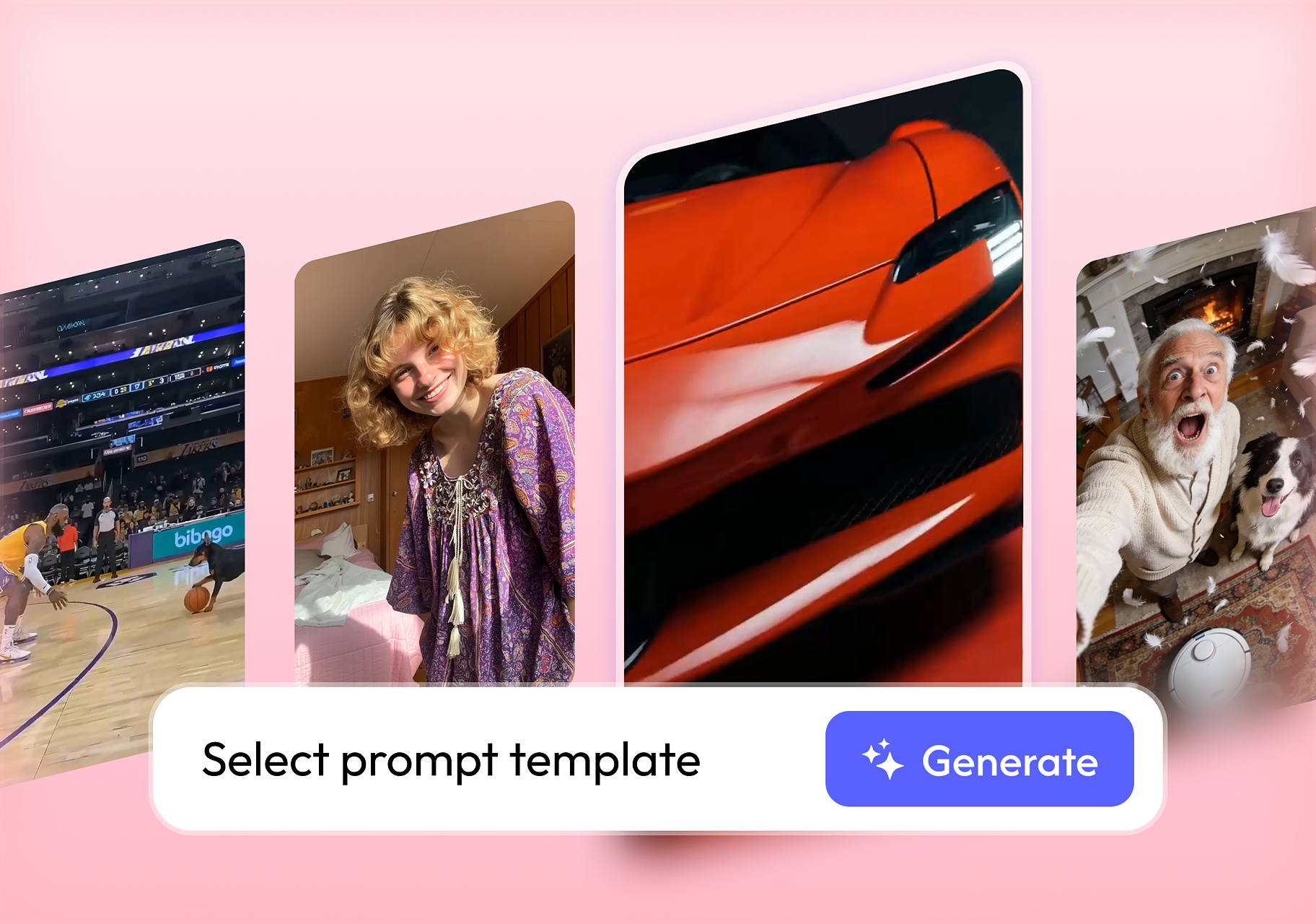
    Seedance 2.0 prompt templates library interface

    What Are Seedance 2.0 Prompts?

    Seedance 2.0 prompts are structured text instructions that tell the Seedance AI video model exactly what to generate. A well-crafted prompt defines the subject, action, camera movement, visual style, and constraints — producing cinema-quality AI video in seconds. Seedance 2.0 by ByteDance is one of the most advanced AI video generation models available today. It excels at realistic motion, cinematic lighting, multi-shot sequences, and audio-visual sync — but the quality of your output depends entirely on how you write your prompt.

    Think of a Seedance prompt like a director's shot list: the more specific and structured your instructions, the better the AI understands your creative intent.
    The Seedance Prompt Formula

    Master the five-part structure that produces professional AI video every time.

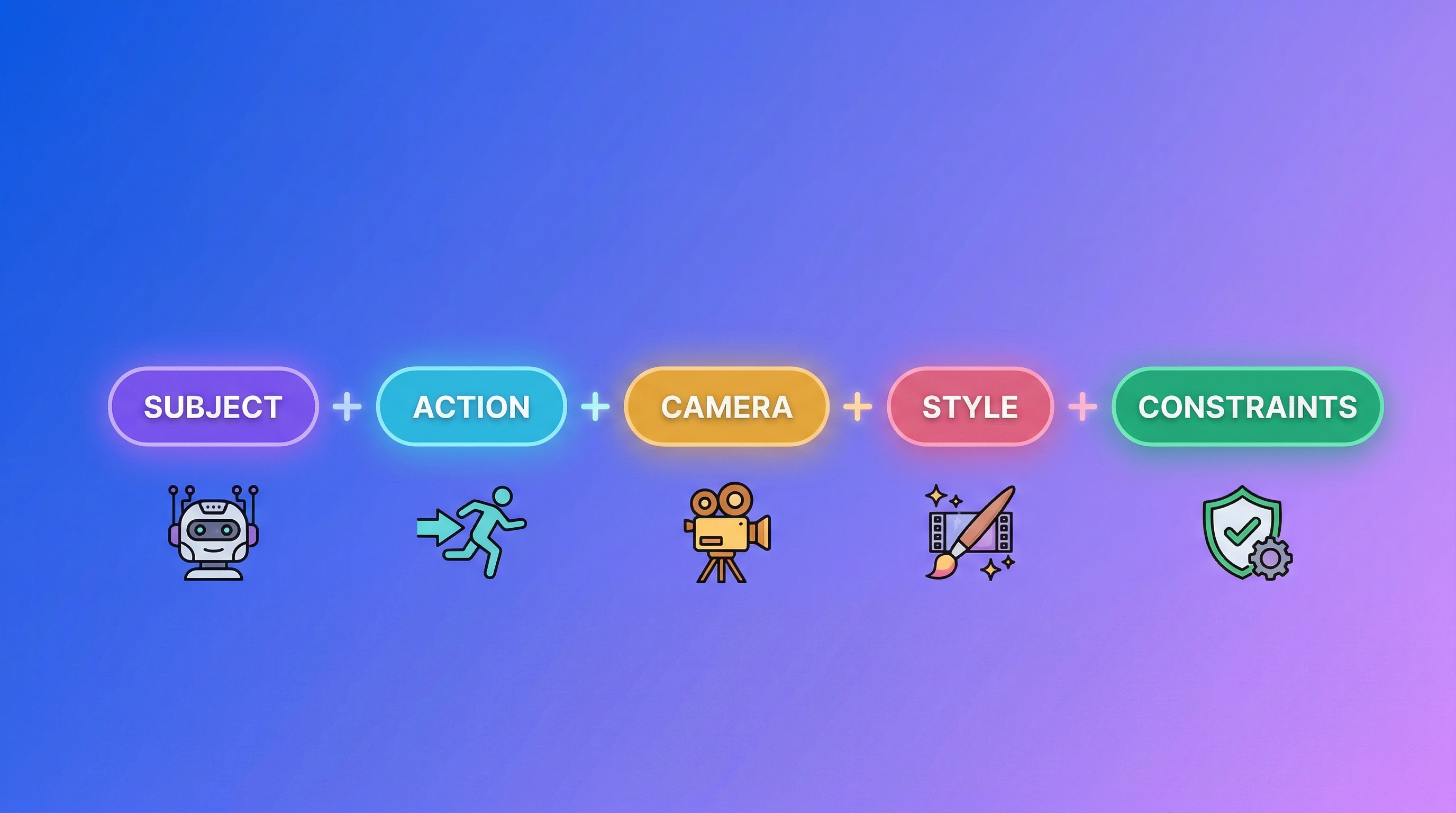
    Seedance 2.0 prompt formula: Subject + Action + Camera + Style + Constraints
    Subject+
    Action+
    Camera+
    Style+
    Constraints

    Subject

    Who or what is in the scene

    A 25-year-old woman in a red silk dress

    Action

    What happens in the scene

    walks slowly toward the camera, hair blowing in the wind

    Camera

    Shot type and movement

    Medium shot, slow dolly-in, 50mm lens look

    Style

    Visual mood and rendering

    Cinematic, golden hour lighting, warm amber tones, film grain

    Constraints

    What to avoid or control

    No extra fingers, stable face, 15 seconds, 1080p

    Prompt Length Guide

    • ●Quick shots (5s): 30–50 words — one subject, one action, one camera move
    • ●Standard scenes (10s): 50–80 words — add style and constraints
    • ●Multi-shot sequences (15s): 80–150 words — use timeline segments

    Prompt Templates by Category

    Copy, paste, and customize. Each template follows the proven five-part formula.

    Cyberpunk Chase

    A hooded figure sprints through a rain-soaked neon alley at night. Puddles reflect pink and blue neon signs. Camera: handheld tracking shot, slight shake, following from behind. Style: cyberpunk noir, volumetric fog, high contrast, anamorphic lens flare. Constraints: stable body proportions, no extra limbs, 15 seconds.
    actionnightneontracking

    Western Standoff

    A lone cowboy stands in a dusty desert town at golden hour. Wind blows his poncho. He slowly reaches for his holster. Camera: starts wide, slow dolly-in to medium close-up on his eyes. Style: classic Western, warm amber tones, film grain, Ennio Morricone atmosphere. 10 seconds.
    westerngolden hourdolly-in

    Fantasy Portal

    A cloaked wizard raises a glowing staff before an ancient stone archway. Blue energy spirals from the staff into the portal, which erupts with light. Camera: low angle, slow crane up. Style: epic fantasy, volumetric light rays, deep blues and golds. 15 seconds, no face deformation.
    fantasymagicVFXcrane

    Post-Apocalyptic Survivor

    A 28-year-old woman in a torn grey cloak walks through crumbling urban ruins at dawn. Dust particles float in pale morning light. Mechanical silhouettes loom in the distance. Camera: medium shot, slow push-in to close-up. Style: post-apocalyptic sci-fi, muted desaturated palette, atmospheric haze. 15 seconds, stable face.
    sci-fiapocalypseatmospheric

    Camera Movement Prompt Guide

    Master these 9 camera movements to control how your Seedance 2.0 video looks and feels.

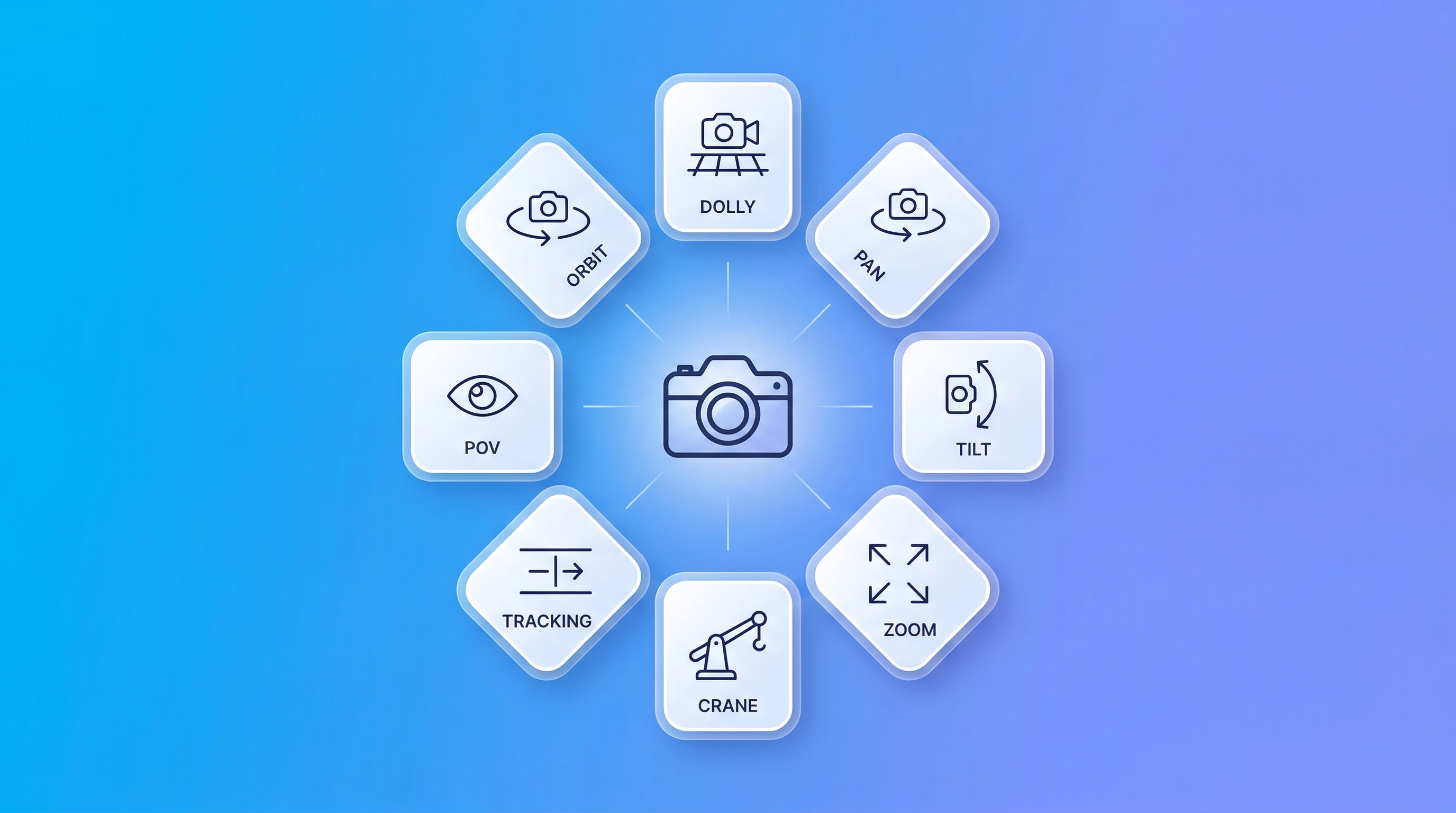
    Seedance 2.0 camera movement types: orbit, dolly, pan, tilt, zoom, crane, tracking, POV, rack focus

    Orbit

    Keywords: orbit, surround, circle, revolve

    Best for: Product showcases, character reveals

    Camera slowly orbits the subject 180 degrees

    Dolly In/Out

    Keywords: dolly-in, push in, pull back

    Best for: Emotional emphasis, reveals

    Slow dolly-in from wide to close-up

    Pan

    Keywords: pan left, pan right, sweep

    Best for: Establishing scenes, following action

    Camera pans right following the subject

    Tilt

    Keywords: tilt up, tilt down

    Best for: Architecture, reveals, power shots

    Camera tilts up from feet to face

    Zoom

    Keywords: zoom in, zoom out

    Best for: Dramatic emphasis, transitions

    Quick zoom-in to the product label

    Crane

    Keywords: crane up, crane down

    Best for: Epic reveals, establishing shots

    Crane up from ground level to aerial view

    Tracking

    Keywords: track, follow, handheld

    Best for: Action sequences, vlogs

    Handheld tracking shot following the runner

    POV

    Keywords: first person, POV, subjective

    Best for: Immersive content, gaming

    First-person POV walking through a forest

    Rack Focus

    Keywords: focus shift, rack focus

    Best for: Drawing attention, depth

    Rack focus from foreground flower to background subject

    Pro Tips

    • ✓Use one primary camera movement per shot for clean results
    • ✓Add intensity modifiers: slowly, smoothly, dramatically, aggressively
    • ✓Specify start and end points: from wide to close-up or 90 degree orbit
    • ✓Never stack more than 2-3 camera instructions in a single prompt

    Advanced Prompting Tips

    Level up your Seedance 2.0 prompts with these pro techniques.

    Multimodal References (@Tags)

    Seedance 2.0 accepts up to 12 reference files. Use @Image for visual anchors, @Video for motion reference, @Audio for beat sync or lip-sync.

    The character from @Image1 performs the dance moves from @Video1, synced to the beat of @Audio1.

    Max: 9 images, 3 videos, 3 audio files per generation

    Multi-Shot Storyboard

    Break complex sequences into time segments for precise control over each part of your video.

    0-4s: Wide establishing shot of a rainy Tokyo street. 4-9s: Medium shot — woman opens umbrella. 9-15s: Close-up tracking beside her face.

    Use Shot switch markers or time codes to separate each segment

    Negative Constraints

    Add 3-5 constraints to prevent common AI artifacts and improve output quality.

    No extra fingers, no lens flares, no face deformation, stable body proportions, normal human structure.

    Targeted negatives prevent 80% of common artifacts

    Output Controls

    Fine-tune your video specs for different platforms and quality requirements.

    Duration: 5s / 10s / 15s. Resolution: 1080p / 2K / 4K. Aspect ratio: 16:9 (landscape), 9:16 (vertical), 1:1 (square). Quality: ultra HD, sharp clarity, no blur, silky smooth.

    Use 9:16 vertical for TikTok and Reels, 16:9 for YouTube and ads

    How to Use Seedance 2.0 Prompts in Topview

    From template to finished video in 3 simple steps.

    Step 1

    Open Topview Board

    Go to topview.ai and open the Board workspace. Select Seedance 2.0 from the model panel — it's available alongside Veo, Sora, Kling, and more.

    Step 2

    Paste Your Prompt

    Copy any template from this page and paste it into the prompt field. Upload reference images or audio with @tags if your template includes them.

    Step 3

    Generate & Export

    Click Generate. Seedance 2.0 renders your video in seconds. Preview, adjust if needed, and export as MP4 — ready to publish.

    Why Use Seedance 2.0 on Topview

    The best way to use Seedance 2.0 — alongside every other top AI video model.

    All-in-One Model Board

    Access Seedance 2.0 alongside Veo, Sora, Kling, Runway, and more — all from a single workspace. No switching between tools.

    Real-Time Collaboration

    Share your Board with teammates. Comment, annotate, and iterate on AI video projects together in real time.

    Seamless Creative Pipeline

    Go from image to video to audio to avatar on the same canvas. Topview connects every step of AI video creation.

    Single Subscription

    One plan unlocks all models. No separate accounts or credit systems for each AI provider.

    Built-in Templates

    Start with proven prompt templates and customize. No need to master prompt engineering from scratch.

    All-in-One Creation Workflow

    From image to video to publishing, Topview lets you complete the whole workflow in one place instead of switching between separate tools.

    Start Creating with Seedance 2.0

    Pick a prompt template, open Topview Board, and generate your first AI video in minutes. Start with trial credits — no credit card required.

    Try Seedance 2.0 on TopviewSeedance 2.5

    All AI video models in one Board · Trial credits included · No editing skills needed

    Frequently Asked Questions

    A Seedance 2.0 prompt is a structured text instruction that tells the Seedance AI video model what to generate. It typically includes five elements: subject, action, camera movement, visual style, and constraints. The more specific your prompt, the better the output quality — think of it like a director's shot list for AI.

    Follow the five-part formula: Subject + Action + Camera + Style + Constraints. Be specific — describe the exact subject appearance, use professional camera terms like dolly-in or orbit, define the visual mood, and add negative constraints to prevent artifacts. Keep prompts between 30-80 words for single shots, or up to 150 words for multi-shot sequences.

    Yes. All templates on this page are designed to be copied and pasted directly into Seedance 2.0. You can use them as-is or customize the subject, style, and camera movement to match your specific project. Each template follows the proven five-part formula for reliable results.

    For e-commerce, use the Product Unboxing, 360 Rotation, or Lifestyle Usage templates. Key elements: describe the product clearly, use studio lighting style, specify a commercial aesthetic, and add controlled camera movement like slow orbit or 45-degree dolly-in. Include clean background and premium commercial in your style section for polished results.

    Use @Image1, @Image2 etc. to reference uploaded images as visual anchors for character or product appearance. Use @Video1 for motion reference. Use @Audio1 for beat sync or lip-sync. Seedance 2.0 supports up to 12 reference files total — 9 images, 3 videos, and 3 audio files. Write them naturally in your prompt, like: The character from @Image1 walks through a garden.

    The three most reliable movements are dolly (push in/pull back), pan (horizontal sweep), and orbit (circular around subject). Use one primary movement per shot for the cleanest results. Add modifiers like slowly or smoothly to control intensity. Avoid stacking more than 2-3 camera instructions in one prompt to prevent confusion.

    For single shots of 5-10 seconds, 30-80 words works best. For multi-shot sequences of 15 seconds, use 80-150 words with timeline segments. Prompts longer than 200 words can dilute the model's attention and reduce motion quality. The key is to start concise and add detail incrementally.

    Yes. Use timeline segments in your prompt, such as: 0-5s for a wide establishing shot, 5-10s for a medium close-up, and 10-15s for a dramatic close-up. Seedance 2.0 can generate structured multi-shot sequences up to 15 seconds with automatic cuts, angles, and pacing — all in a single generation.

    Open topview.ai and go to the Board workspace. Select Seedance 2.0 from the model panel. Paste your prompt, upload any reference files with @tags, and click Generate. Topview provides a unified workspace where you can access Seedance 2.0 alongside other top AI video models like Veo, Sora, and Kling — all under one subscription.

    Topview offers a free plan that includes credits for AI video generation, so you can start using Seedance 2.0 prompts immediately with no credit card required. Paid plans provide higher generation volumes, premium model access, and additional collaboration features for teams.