Topview
    • MCP/Skill
    • Plugin
    • API
    • Pricing
    1. Home
    2. Mona Lisa 1

    AI Ads

    AI Video AgentAI Ads VideoAI Product VideoAI UGC VideoURL to Video

    AI Avatar

    AI Avatar GeneratorProduct AvatarDesign My AvatarAI Lip Sync

    AI Video

    AI Video GeneratorDrama StudioAI Video Body SwapAI Video UpscalerAI Video Watermark RemoverTikTok Watermark RemoverSora Watermark RemoverSubtitle RemoverAI Motion ControlAI Lip SyncURL to Video

    AI Image

    AI Image GeneratorAI Face SwapAI Image Character SwapAI Image UpscalerAI InpaintAI Image Text EditorPhoto Angle EditorAI RelightingAI Product PhotographyAI Virtual Try-OnAI Storyboard GeneratorExtract Color PaletteImage to Prompt

    AI Voice

    VoiceoverAI Voice CloningAI Music Generator

    3D

    3D World Generator3D Shot Composer

    Use Cases

    AdvertisingAffiliate MarketingEcommerceDTC BrandsAI Live Stream

    Resources

    BlogAffiliate ProgramLearning CenterAlternativeAPI

    Company

    Topview StudioPrivacy PolicyTerms
    Topview

    © 2026 TOPVIEW PTE. LTD.

    Singapore: 20 Collyer Quay #20-03, Singapore 049319
    Los Angeles: 15970 Los Serranos CC Dr #251, Chino Hills, CA 91709

    Mona Lisa 1AI image generator

    Crisp high-resolution imagesClean color without muddy blocksPrecise complex-prompt understandingRealistic skin and intact small details

    TRY CURRENT TOPVIEW IMAGE MODELS

    Available model
    mona-lisa-1
    Coming Soon
    Generated Result
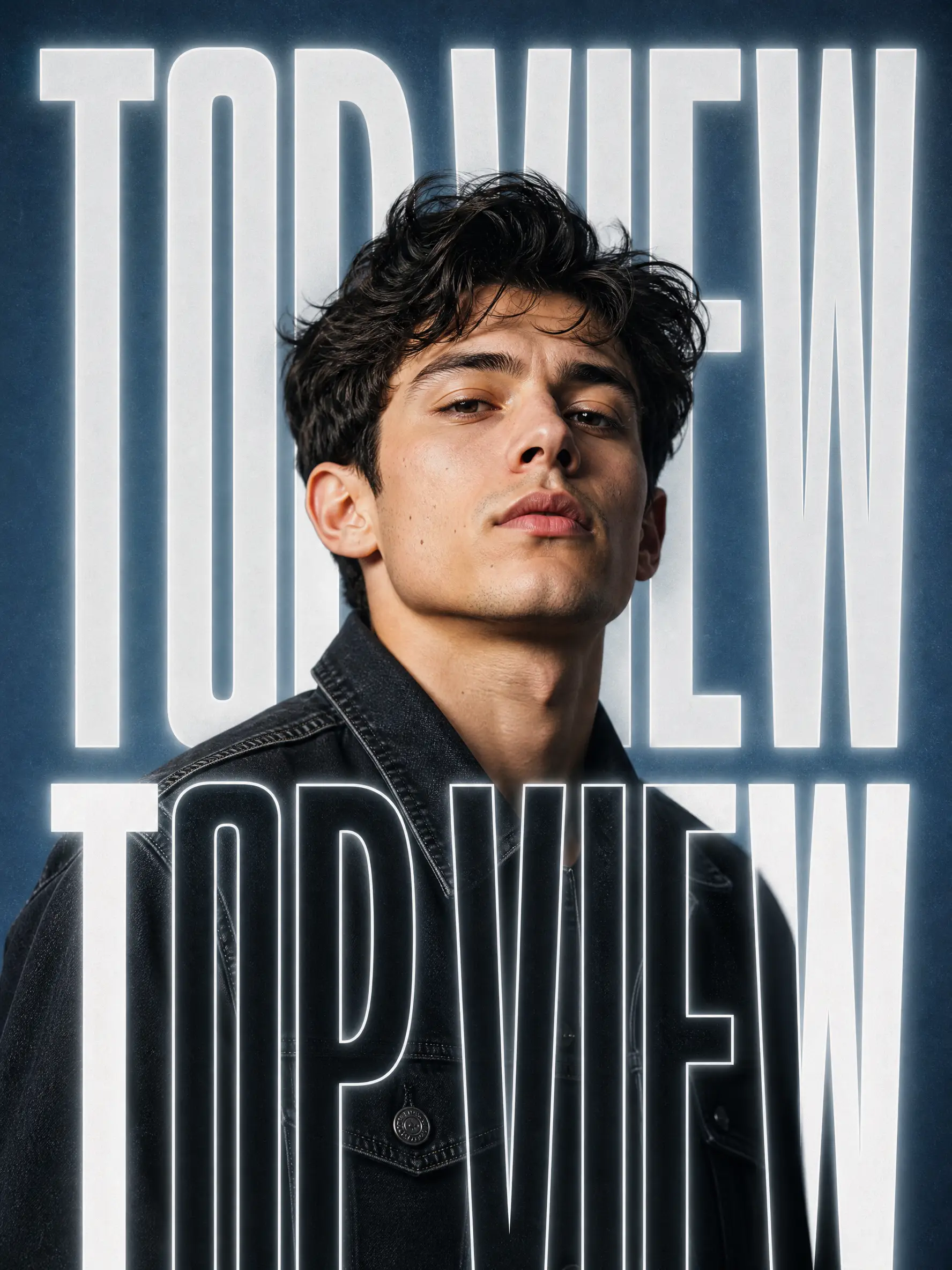
    Create a high-end editorial film poster featuring a portrait of a man from the uploaded photo, with no alteration to his identity, dark brunette hair, and a black denim jacket. Use a text-masking effect where large, bold, white sans-serif typography reading TOPVIEW is layered both behind and in front of him. Set the portrait against a muted slate-blue background with soft grain and glowing white outlines around the lettering. High-fashion aesthetic, cinematic soft lighting, sharp focus, 8K resolution.
    x @arrakis_ai
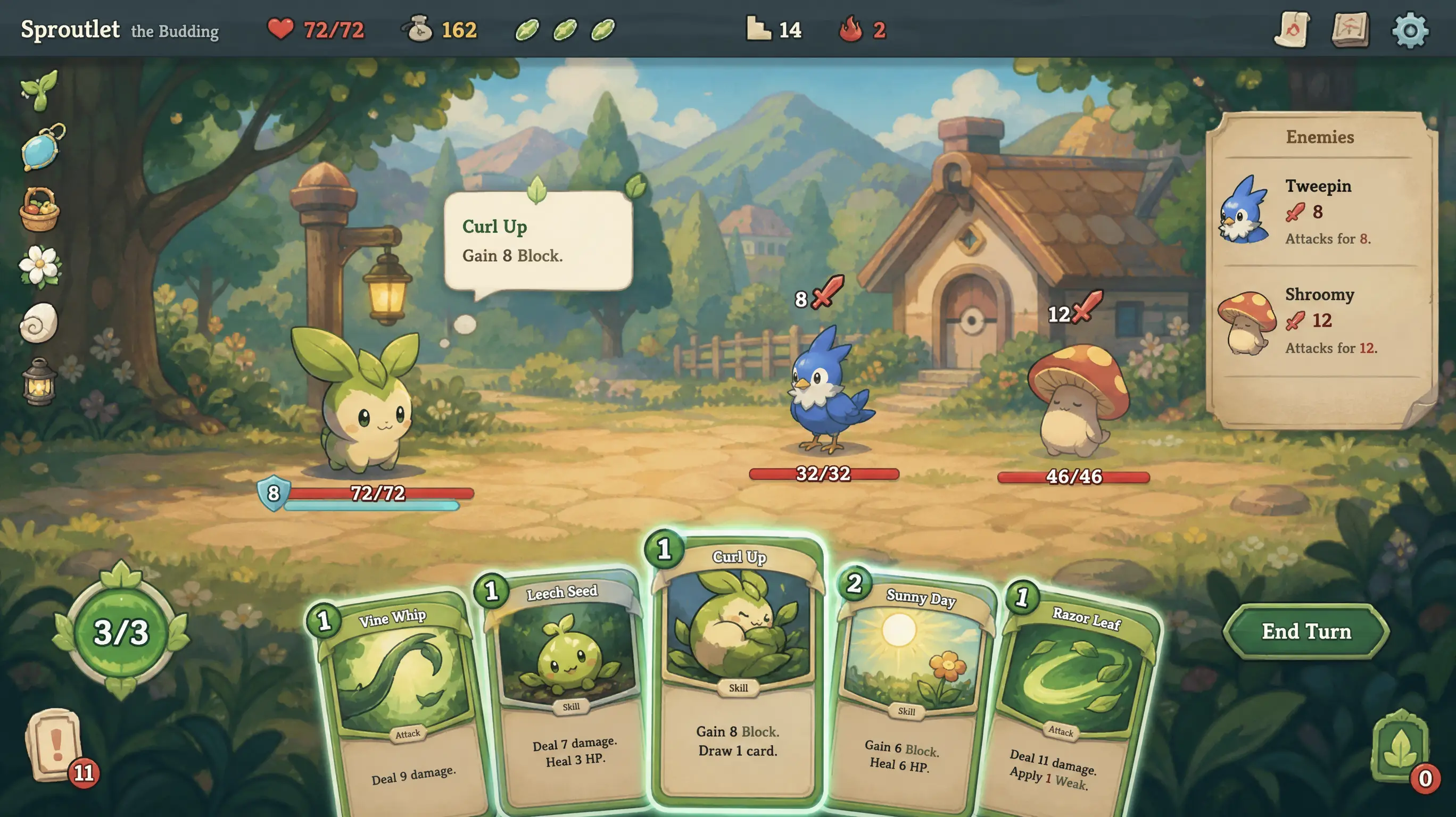
    Make a Slay the Spire-style game interface with a cozy Pokémon-style fantasy atmosphere.
    x @arrakis_ai
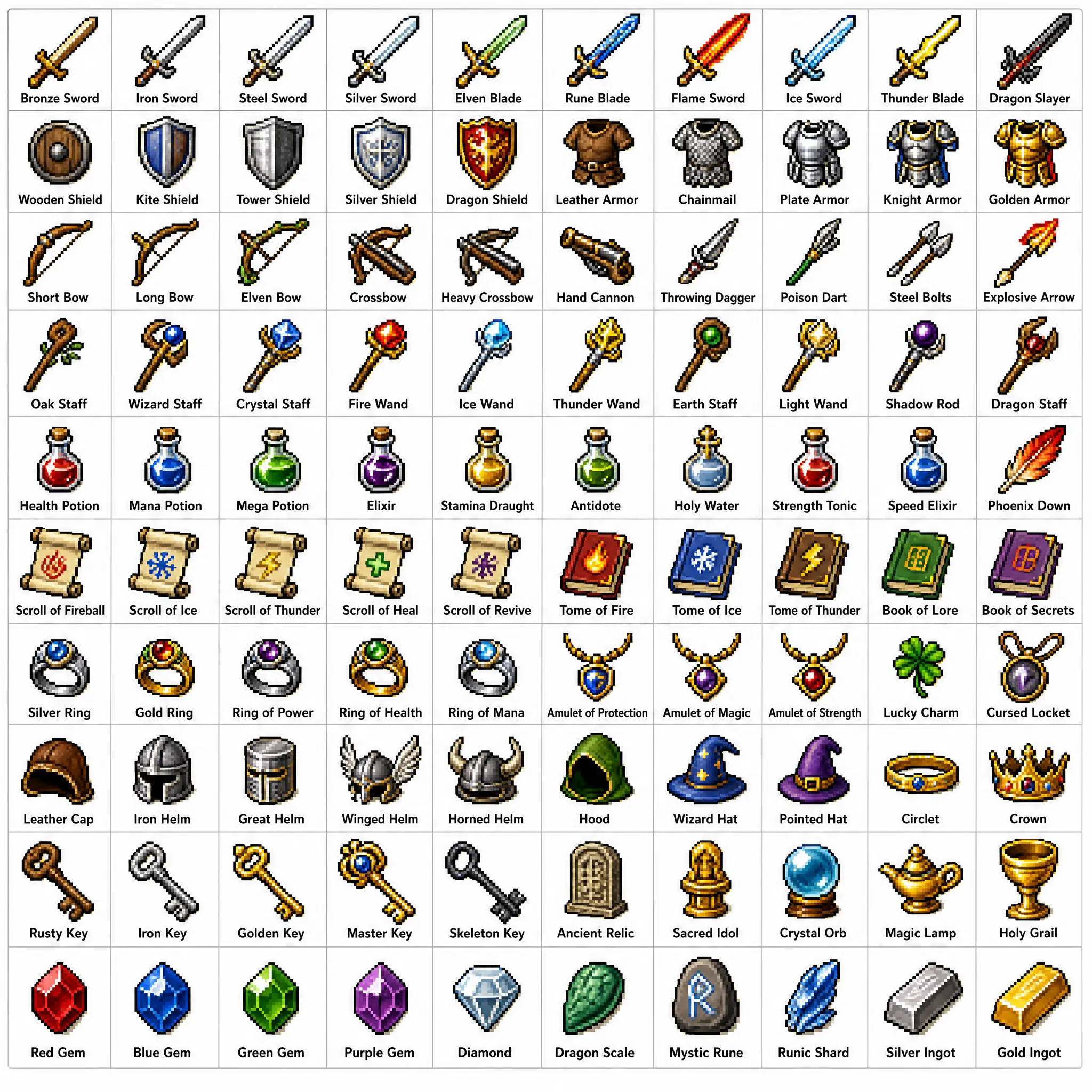
    Create a 10×10 pixel-art grid of 100 fantasy RPG items in a classic 16-bit JRPG style. Place every item in its own tile with a clean label beneath it on a white background. Organize rows by theme: swords, shields and armor, ranged weapons, staves and wands, potions, scrolls and tomes, rings and amulets, helmets and crowns, keys and relics, and gems and runes. Use crisp pixel edges, limited palettes, and subtle dithering.
    x @arrakis_ai
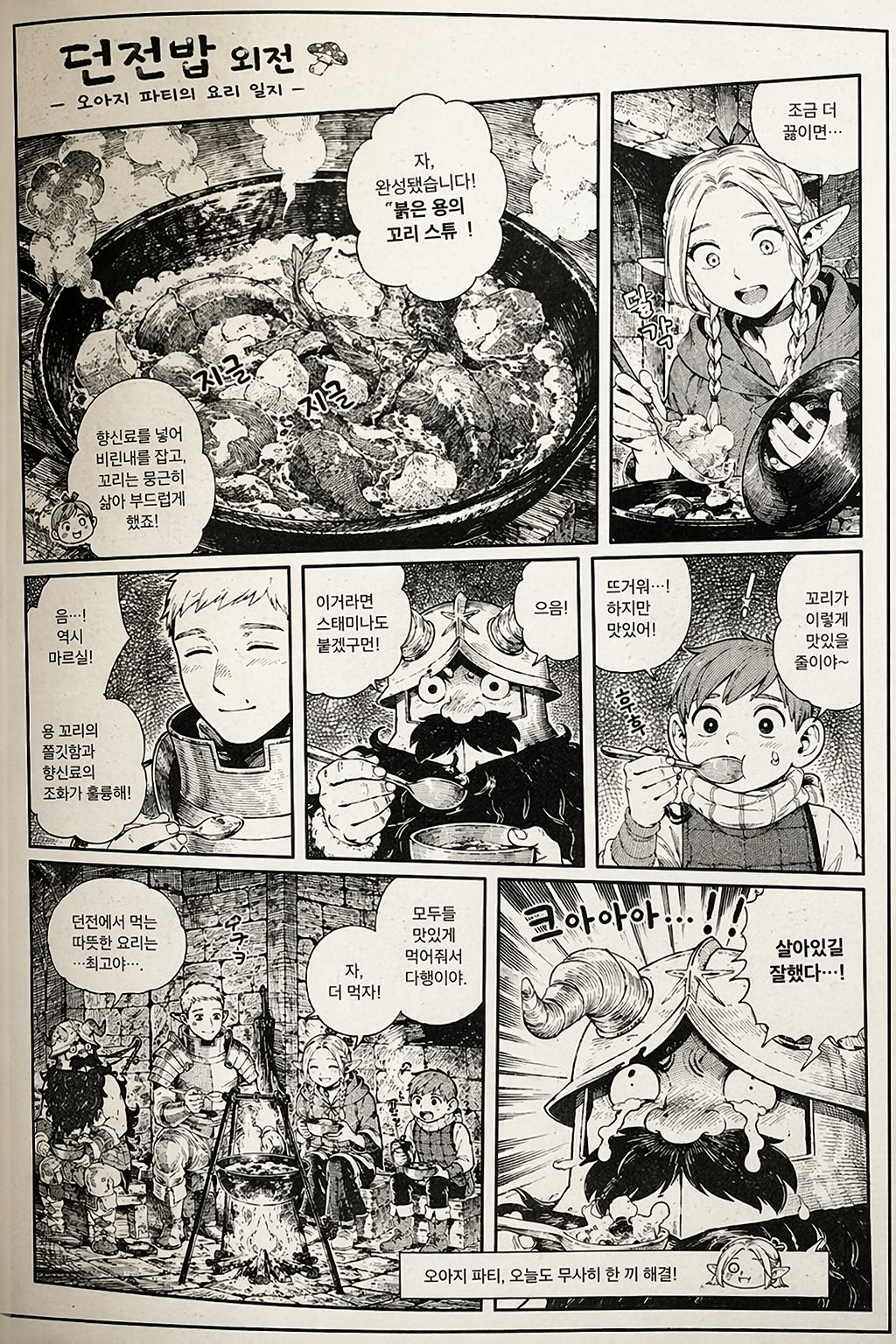
    Create a black-and-white manga page showing a fantasy cooking scene with a large stew pot, multiple comic panels, expressive character reactions, Korean dialogue balloons, detailed ink linework, screentone shading, and a highly readable magazine-quality layout.
    x @arrakis_ai
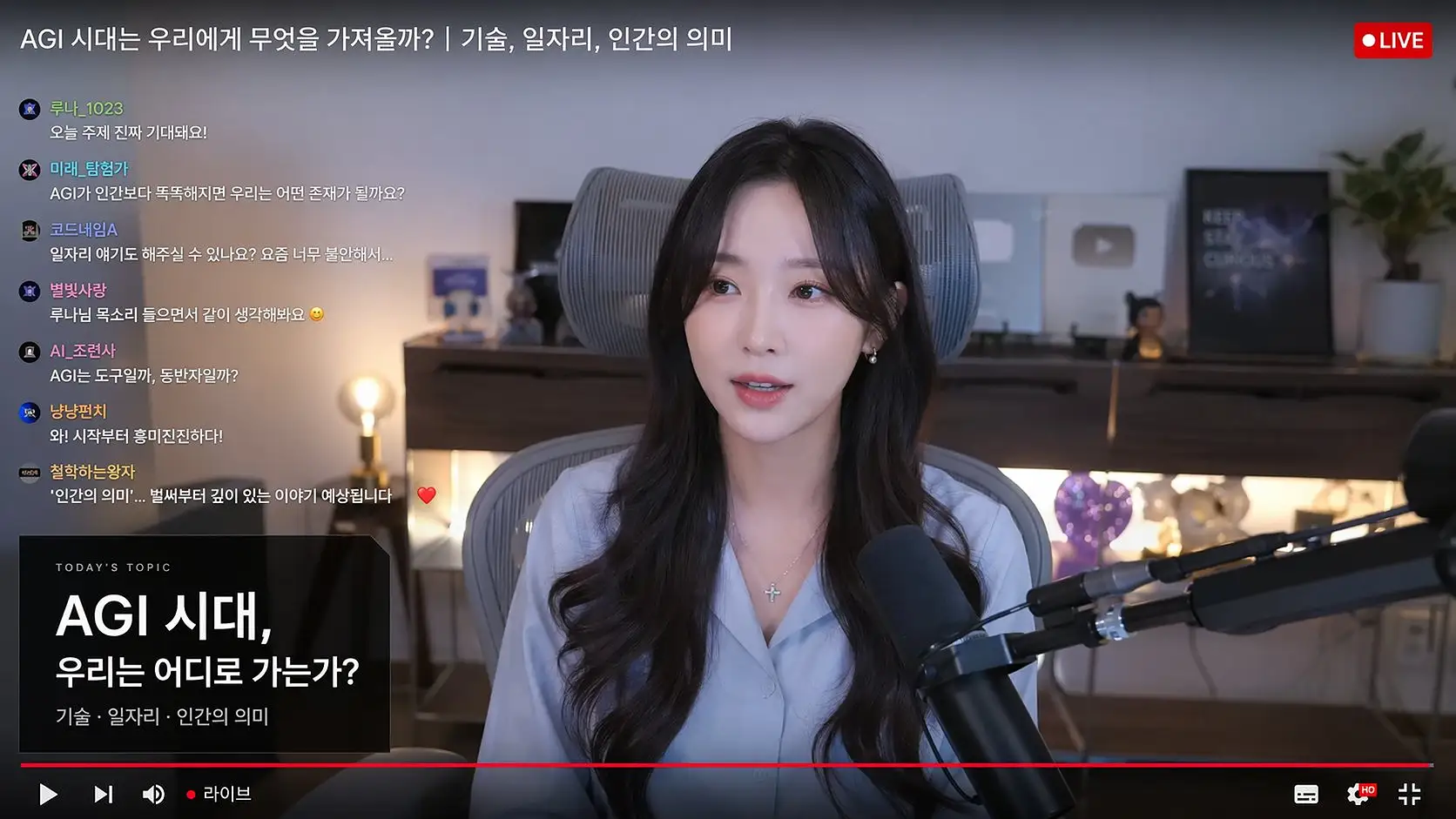
    Create a live-stream studio screenshot featuring a female creator speaking on camera, a Korean live chat overlay on the left, a red LIVE badge, a podcast microphone in the foreground, a cozy desk setup with ambient lighting, and the realistic feel of a creator-economy livestream thumbnail.
    x @arrakis_ai

    Prompt

    Create a high-end editorial film poster featuring a portrait of a man from the uploaded photo, with no alteration to his identity, dark brunette hair, and a black denim jacket. Use a text-masking effect where large, bold, white sans-serif typography reading TOPVIEW is layered both behind and in front of him. Set the portrait against a muted slate-blue background with soft grain and glowing white outlines around the lettering. High-fashion aesthetic, cinematic soft lighting, sharp focus, 8K resolution.

    Mona Lisa 1 Feature Highlights

    A detail-first image workflow built for clean surfaces, complex scenes, natural people, and controlled editing.

    Crisp high-resolution images

    Preserve clear silhouettes, sharp materials, readable forms, and fine scene structure at large output sizes.
    Clean color without muddy blocks

    Keep gradients, flat colors, reflections, and shadow transitions smooth without noisy patches or overprocessed texture.

    Precise complex-prompt understanding

    Track subjects, object counts, spatial relationships, text, materials, camera direction, and lighting in the same composition.

    Realistic skin and intact small details

    Render pores, hair, hands, fabric, rain, reflections, and background objects with natural texture instead of plastic surfaces or melted details.

    EARLY ADVANTAGES TO VERIFY

    How Mona Lisa 1 Improves on GPT Image 2

    Reported GPT Image 2 friction

    Long prompts can lose smaller instructions

    A scene may look good overall while omitting background objects, changing exact wording, or weakening spatial relationships.

    Early Mona Lisa 1 signal

    More complete complex-prompt compliance

    An early tester reported that six requested variations retained a long list of scene details. Repeat that test with a scored checklist before treating it as a reliable advantage.

    Reported GPT Image 2 friction

    Edits may change more than the requested target

    Designers can lose approved composition, lighting, identity, or background detail when asking for one local change.

    Early Mona Lisa 1 signal

    Cleaner, more localized edits

    Test object replacement, copy changes, wardrobe edits, and background cleanup while comparing every untouched region against the original.

    Reported GPT Image 2 friction

    Repeated editing can add texture noise

    Users frequently question whether an image will survive several rounds without speckling, edge damage, or an increasingly processed surface.

    Early Mona Lisa 1 signal

    Greater durability across an edit chain

    Some testers report less artifact buildup, while others still see noise. Run at least five sequential edits and inspect high-resolution crops after each turn.

    Reported GPT Image 2 friction

    Documents can be visually convincing but logically inconsistent

    Floor plans, tables, labels, schedules, and repeated text may look plausible while contradicting one another or becoming unreadable.

    Early Mona Lisa 1 signal

    Better structured-layout reasoning

    Early construction-document examples are described as a step forward, not solved. Check exact labels, relationships between panels, and consistency after one targeted revision.

    Reported GPT Image 2 friction

    Aesthetic quality can hide instruction failures

    Human preference tests may reward a beautiful result even when it misses a brand rule, required object, exact phrase, or physical constraint.

    Early Mona Lisa 1 signal

    Production value measured by accuracy, not vibes

    Score prompt compliance, edit preservation, text, geometry, identity, and artifacts separately. Keep the output only if it passes the requirements that matter for the job.

    Best Use Cases for Mona Lisa 1

    Use its clean surfaces, precise prompt handling, natural people, stable edits, and high-detail output across demanding visual workflows.

    Current Topview example of a text-rich AI poster

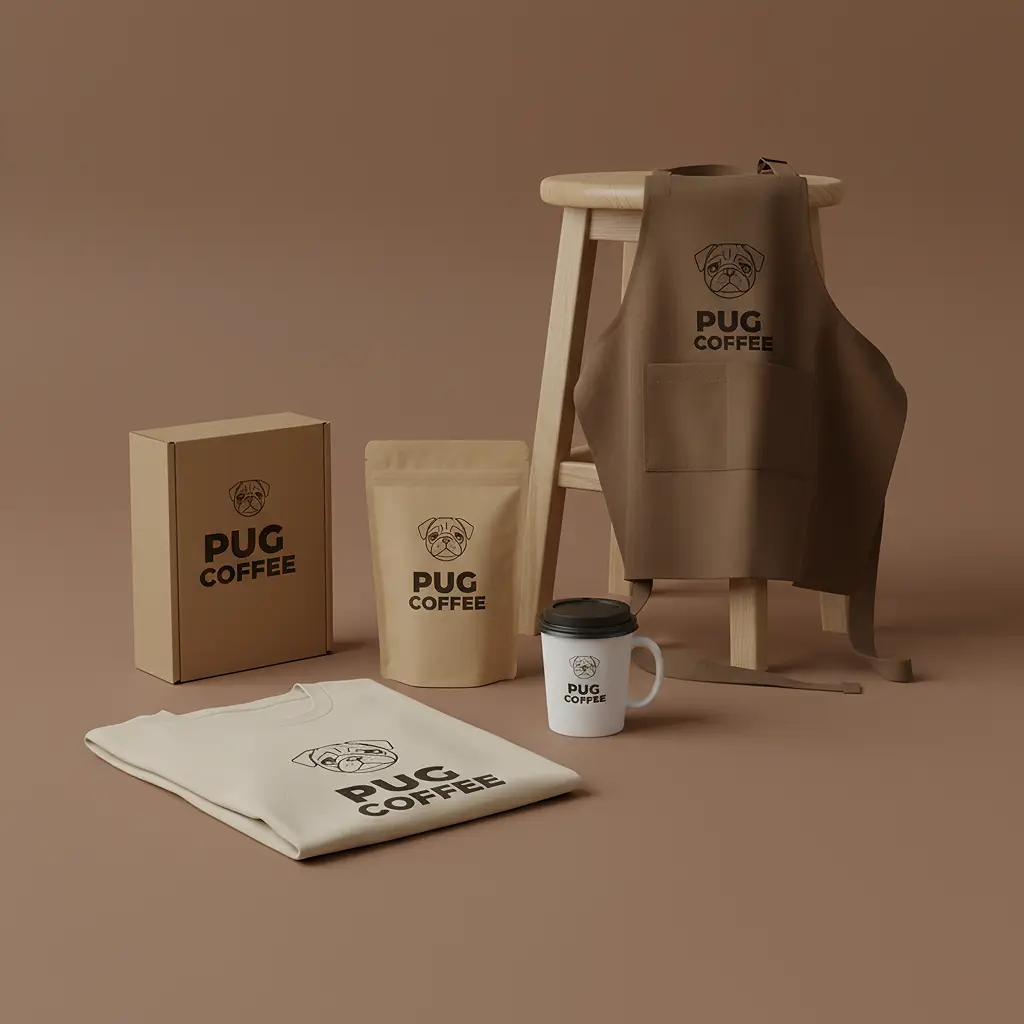
    Text-rich posters

    Check exact spelling, hierarchy, alignment, and repeated brand details.

    Current Topview example of an AI product scene

    Product scenes

    Inspect shape, label fidelity, materials, reflections, and controlled variants.

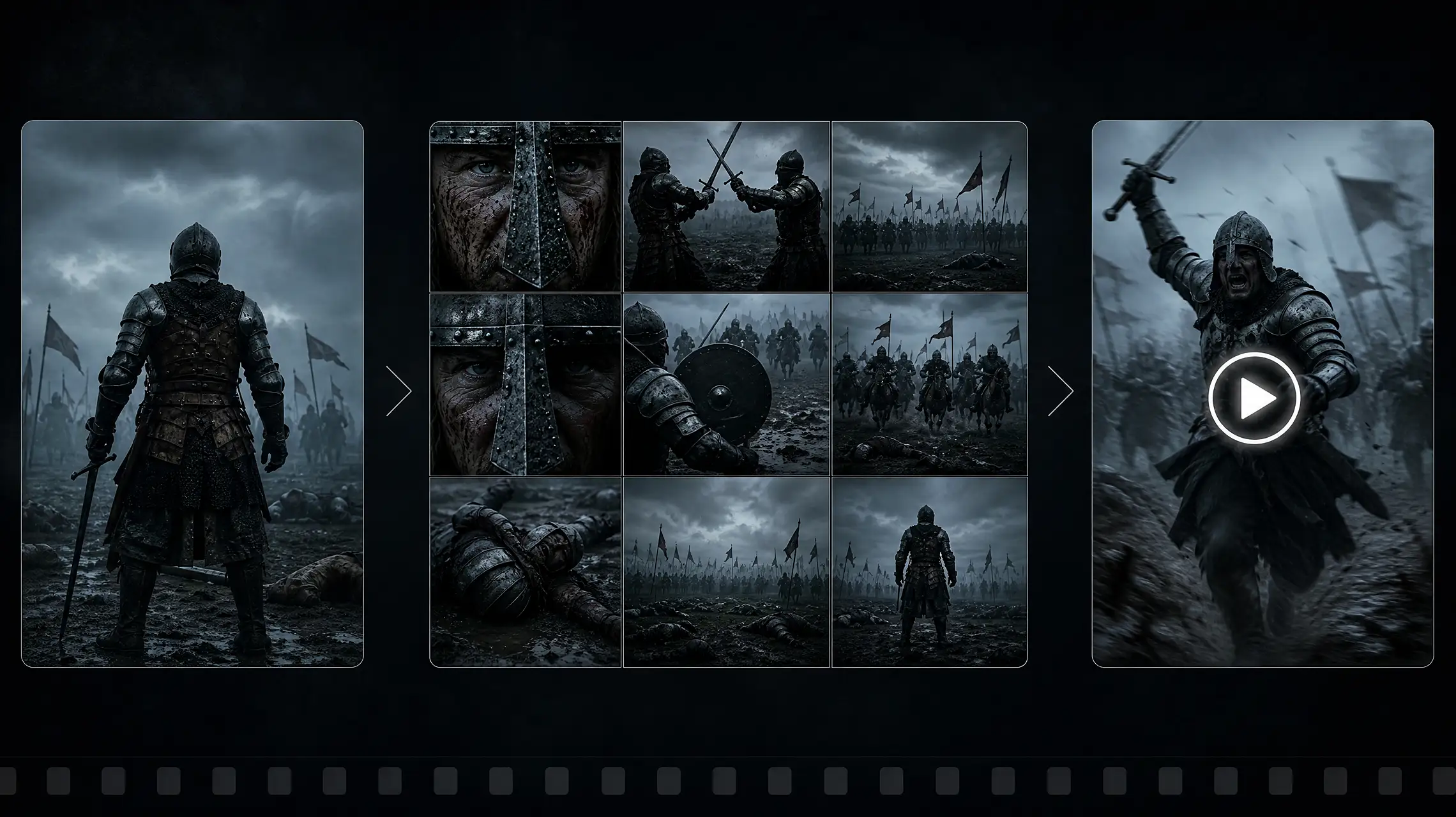
    Current Topview example of an AI narrative frame

    Narrative frames

    Compare character and scene continuity across a short sequence.

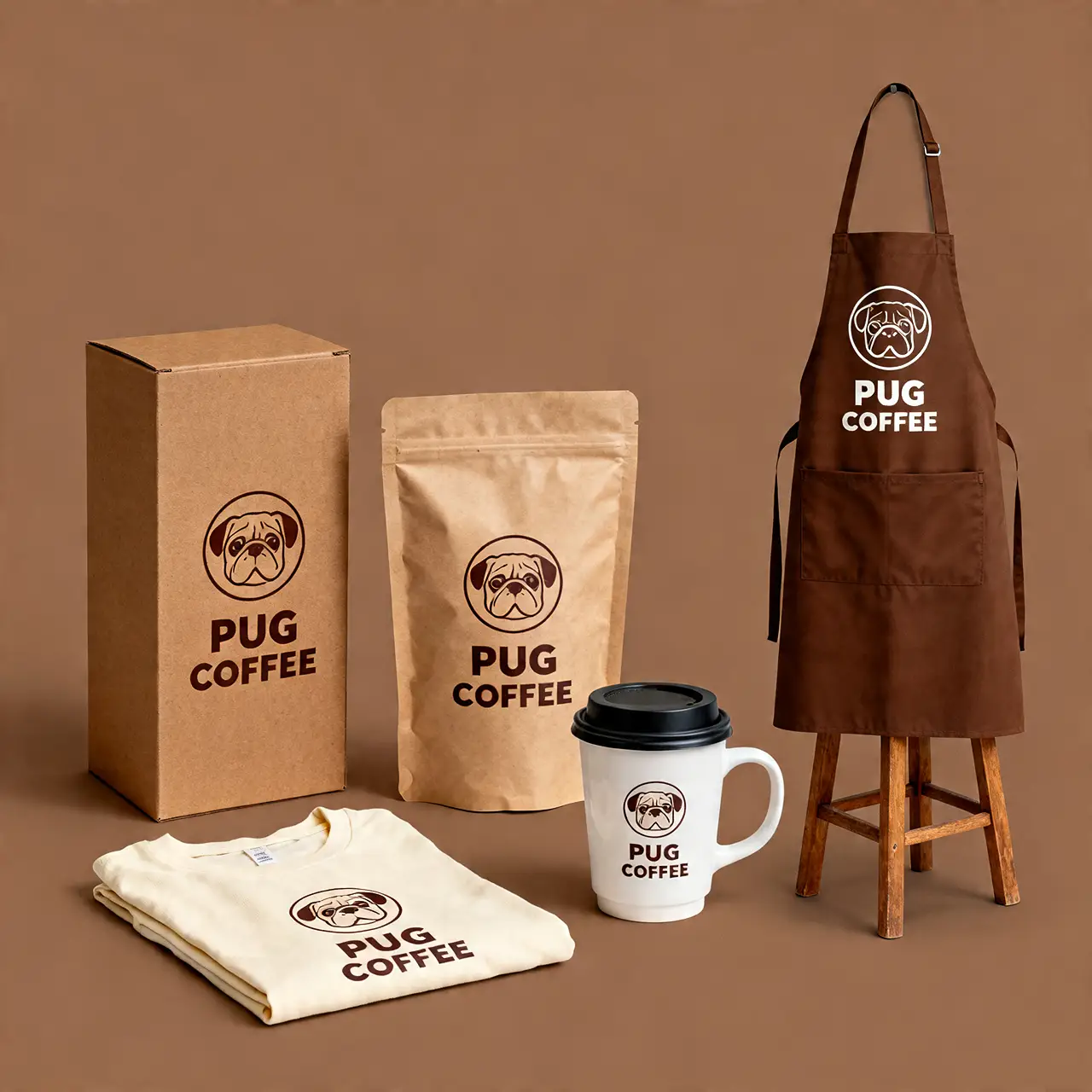
    Current Topview example of an AI brand system

    Brand systems

    Test whether multiple assets share a coherent visual language and layout logic.

    Current Topview example of a stylized AI illustration

    Stylized illustration

    Evaluate pose, anatomy, line quality, palette, and style consistency.

    Current Topview example of an AI interface concept

    UI and documents

    Review labels, tables, icons, spacing, and relationships between panels.

    Mona Lisa 1

    Prompt · Generated Result

    Use its clean surfaces, precise prompt handling, natural people, stable edits, and high-detail output across demanding visual workflows.

    Create a high-end editorial film poster featuring a portrait of a man from the uploaded photo, with no alteration to his identity, dark brunette hair, and a black denim jacket. Use a text-masking effect where large, bold, white sans-serif typography reading TOPVIEW is layered both behind and in front of him. Set the portrait against a muted slate-blue background with soft grain and glowing white outlines around the lettering. High-fashion aesthetic, cinematic soft lighting, sharp focus, 8K resolution.

    Prompt 01

    Create a high-end editorial film poster featuring a portrait of a man from the uploaded photo, with no alteration to his identity, dark brunette hair, and a black denim jacket. Use a text-masking effect where large, bold, white sans-serif typography reading TOPVIEW is layered both behind and in front of him. Set the portrait against a muted slate-blue background with soft grain and glowing white outlines around the lettering. High-fashion aesthetic, cinematic soft lighting, sharp focus, 8K resolution.

    Make a Slay the Spire-style game interface with a cozy Pokémon-style fantasy atmosphere.

    Prompt 02

    Make a Slay the Spire-style game interface with a cozy Pokémon-style fantasy atmosphere.

    Create a 10×10 pixel-art grid of 100 fantasy RPG items in a classic 16-bit JRPG style. Place every item in its own tile with a clean label beneath it on a white background. Organize rows by theme: swords, shields and armor, ranged weapons, staves and wands, potions, scrolls and tomes, rings and amulets, helmets and crowns, keys and relics, and gems and runes. Use crisp pixel edges, limited palettes, and subtle dithering.

    Prompt 03

    Create a 10×10 pixel-art grid of 100 fantasy RPG items in a classic 16-bit JRPG style. Place every item in its own tile with a clean label beneath it on a white background. Organize rows by theme: swords, shields and armor, ranged weapons, staves and wands, potions, scrolls and tomes, rings and amulets, helmets and crowns, keys and relics, and gems and runes. Use crisp pixel edges, limited palettes, and subtle dithering.

    Create a black-and-white manga page showing a fantasy cooking scene with a large stew pot, multiple comic panels, expressive character reactions, Korean dialogue balloons, detailed ink linework, screentone shading, and a highly readable magazine-quality layout.

    Prompt 04

    Create a black-and-white manga page showing a fantasy cooking scene with a large stew pot, multiple comic panels, expressive character reactions, Korean dialogue balloons, detailed ink linework, screentone shading, and a highly readable magazine-quality layout.

    Create a live-stream studio screenshot featuring a female creator speaking on camera, a Korean live chat overlay on the left, a red LIVE badge, a podcast microphone in the foreground, a cozy desk setup with ambient lighting, and the realistic feel of a creator-economy livestream thumbnail.

    Prompt 05

    Create a live-stream studio screenshot featuring a female creator speaking on camera, a Korean live chat overlay on the left, a red LIVE badge, a podcast microphone in the foreground, a cozy desk setup with ambient lighting, and the realistic feel of a creator-economy livestream thumbnail.

    Mona Lisa 1 Frequently Asked Questions

    Preserve clear silhouettes, sharp materials, readable forms, and fine scene structure at large output sizes.
    Third-party model and brand names are trademarks of their respective owners. Topview provides access to supported AI models through its independent platform and is not the developer of those third-party models.

    Mona Lisa 1 Feature Highlights

    Use its clean surfaces, precise prompt handling, natural people, stable edits, and high-detail output across demanding visual workflows.
    Open AI Image Generator