

Gen-4.5 AI Video GeneratorRunway Image to Video
Use Runway Gen-4.5 in Topview to animate strong first frames, direct motion with cinematic prompts, and get cleaner temporal consistency for ads, product shots, and branded video scenes.
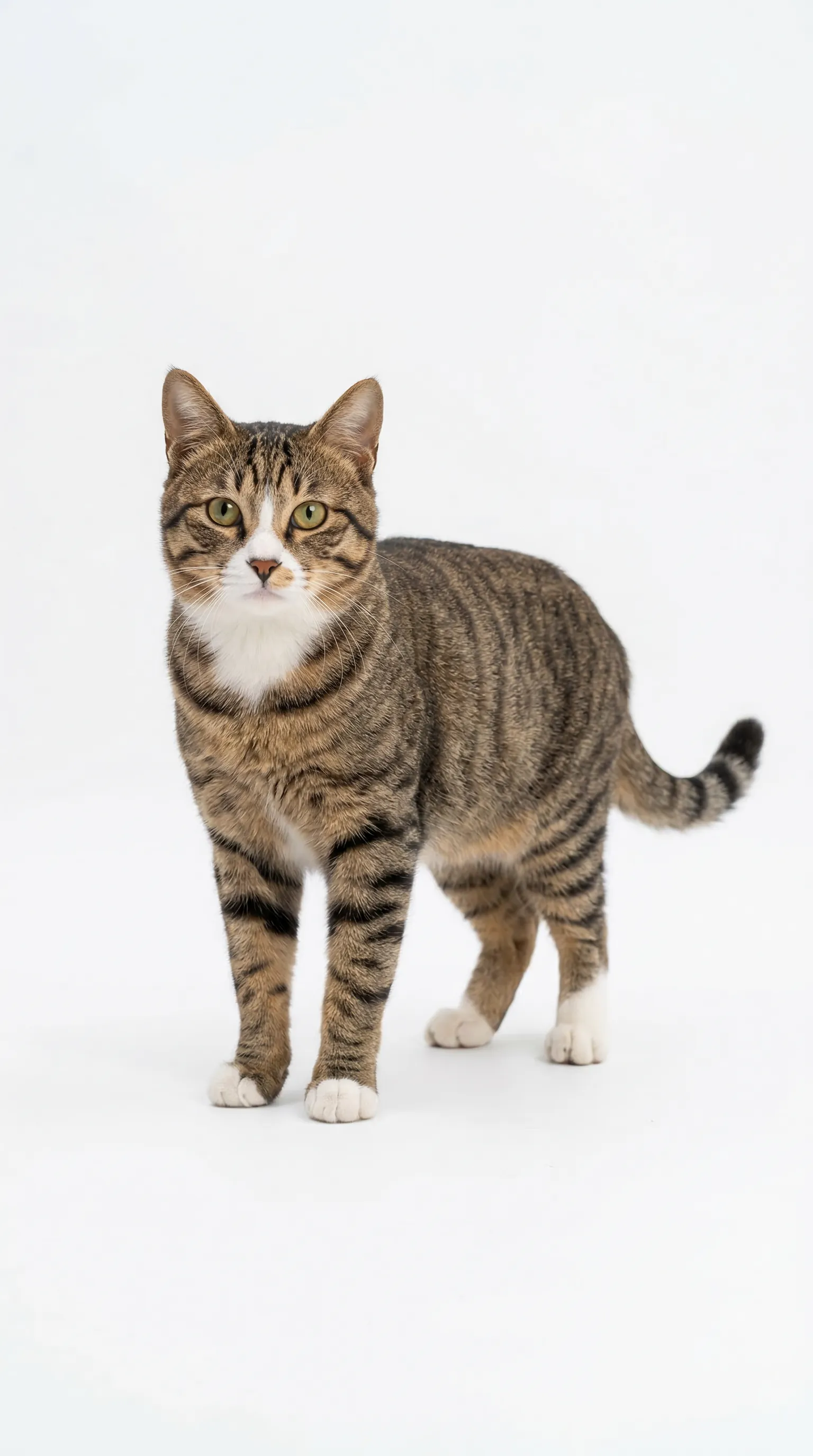
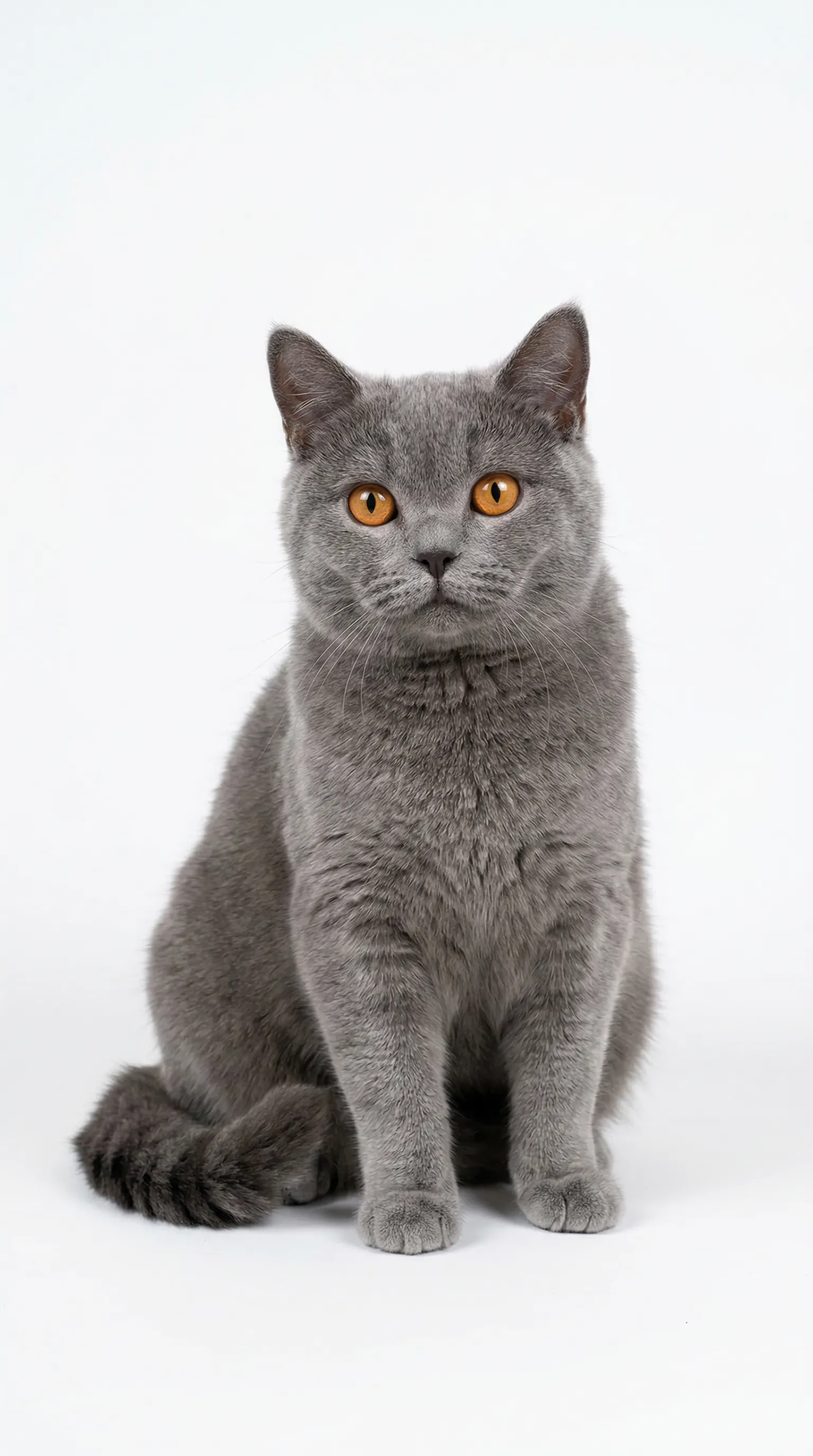
15s duration: This is a fun anthropomorphic scene full of contrast. Two cats are cosplaying as construction workers, working at a simulated construction site: On the left is Image 4, wearing a bright yellow hard hat, front paws resting on the edge of a rusty wheelbarrow, standing upright with a serious and slightly helpless expression, looking like a supervisor. On the right is Image 5, wearing an orange hard hat, also standing upright, front paws tightly gripping a shovel full of cement, focusing on shoveling cement from the ground into the wheelbarrow, with a serious yet hilarious posture. The background is a real construction site: damp cement floor, gray cement walls, piles of red bricks, blue oil drums, and scattered wooden sticks. The ground has water reflections, recreating the atmosphere of a rainy day or a newly finished site. The wheelbarrow is an old metal model with orange rims and cement stains. A spare yellow hard hat lies nearby, full of detail. Image 5, wearing the hard hat, shovels cement into the wheelbarrow, but twice it falls onto the head and face of Image 4. Image 4 angrily hits Image 5, and the two cats engage in a fierce fight.
Prompt-Ready Use Cases for Gen-4.5
Runway Gen-4.5 works especially well when you start from a strong first frame and describe motion with clarity. These examples are built for real commercial workflows, not just showcase shots.
Character-Led Lifestyle Scenes
Animate lifestyle references into short, premium-feeling character moments for fashion, beauty, or creator-led brand campaigns with stronger facial and fabric continuity.
"Character-led lifestyle moment featuring a stylish subject in a modern environment. Use natural body movement, soft fashion-forward lighting, light fabric motion, and a smooth handheld or tracking camera that keeps the subject expressive, polished, and brand-friendly."
Product Motion Ads
Use Gen-4.5 for polished product reveals where motion, reflections, surface detail, and camera drift need to stay coherent across the clip.
"Premium product commercial with a hero item centered in a dark studio setup. Use a smooth push-in, subtle orbit movement, glossy reflections, controlled highlight rolloff, and a clean luxury ad rhythm that keeps the product sharp and dominant throughout the shot."
Cinematic Brand Stories
For brands that need a cinematic tone in just a few seconds, Gen-4.5 handles camera movement, scene depth, and motion-driven storytelling better than a flat descriptive prompt.
"Short cinematic brand sequence with strong atmosphere, layered depth, and purposeful movement through the scene. Emphasize moody lighting, story-driven framing, steady forward momentum, and a premium commercial tone that feels dramatic without losing clarity."
Stylized Concept Clips
Gen-4.5 can also push stylized or non-photorealistic work while keeping subject detail and motion more stable, which is useful for concept reels and social teasers.
"Stylized concept clip with exaggerated art direction, strong visual contrast, and playful cinematic motion. Keep the world design cohesive while using a clean tracking move, distinctive textures, and an imaginative tone that feels crafted for a concept teaser or social hook."
What Is Gen-4.5?
Gen-4.5 is Runway's high-fidelity video generation model built for stronger motion quality, better prompt adherence, and cleaner temporal consistency. In image-to-video workflows, the uploaded image acts as the first frame, so prompt quality is less about describing what is visible and more about directing what happens next. On Topview, that becomes a more practical production workflow: start from a hero frame, shape motion and camera language, compare outputs with other models, and move faster from test generation to ad-ready delivery.
First-Frame Image Guidance
Gen-4.5 treats the uploaded image as the starting frame, which makes it useful for product shots, brand stills, and any workflow where you want the video to stay anchored to an approved visual.
Motion-Led Prompting
The model performs best when prompts describe motion, camera moves, and action clearly. That means better results from concise shot direction instead of long visual paragraphs.
Cinematic Controllability
Runway Gen-4.5 is designed for precise camera language, stronger physical realism, and more stable detail over time, which helps commercial teams generate clips that feel more intentional.
How to Prompt Gen-4.5 More Reliably
The best Gen-4.5 prompts assume the image already defines the scene. Your job is to direct motion, camera, and timing clearly so the model can animate that first frame with purpose.
Start from a strong first frame
Because the uploaded image becomes the first frame, use a clean, well-composed image with the right lighting and aspect ratio before you write the prompt.
Describe what moves next
Focus the prompt on motion after the first frame: what the subject does, how the environment reacts, and where the scene evolves over the next few seconds.
Use camera language
Terms like slow dolly-in, orbit, pan right, close-up, or low-angle tracking shot work better than vague requests for a cinematic look.
Keep one motion idea per clip
Short clips with one clear action are easier for the model to follow. Avoid stacking multiple scenes, subjects, or conflicting actions into one generation.
Stay positive and direct
Use positive phrasing and simple instructions. Say what should happen, not what should be avoided, and remove unnecessary adjectives that do not change motion.
Match ratio and export goal
Set aspect ratio, duration, and motion intensity according to the final use case so the output is ready for ads, landing pages, or social delivery without a second pass.
Basic Prompt vs Gen-4.5-Ready Prompt
| Prompt Element | Basic prompt | Gen-4.5-ready prompt |
|---|---|---|
| Frame setup | perfume bottle on table | uploaded product still used as the first frame on a glossy black pedestal |
| Motion | make it move | slow dolly-in with a subtle clockwise orbit and light vapor drift |
| Camera | cinematic camera | macro close-up, locked center subject, smooth commercial camera move |
| Lighting | nice lighting | soft silver rim light with controlled reflections and a dark studio background |
| Action count | lots of things happening | one clean motion beat over a 5-second clip |
| Prompt focus | describe the whole image again | describe what changes after the first frame, not what is already visible |
| Prompt style | don't make it weird | use positive phrasing and state the intended result directly |
| Delivery fit | make a video |
How to Use Gen-4.5 in Topview (3 Steps)
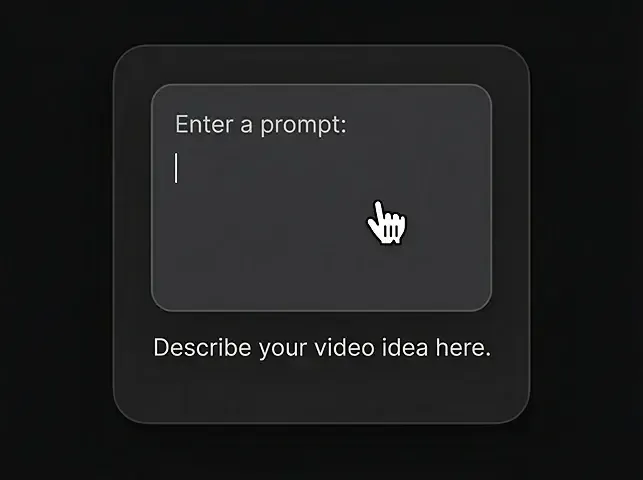
Enter a prompt
Describe the video you want using natural language.
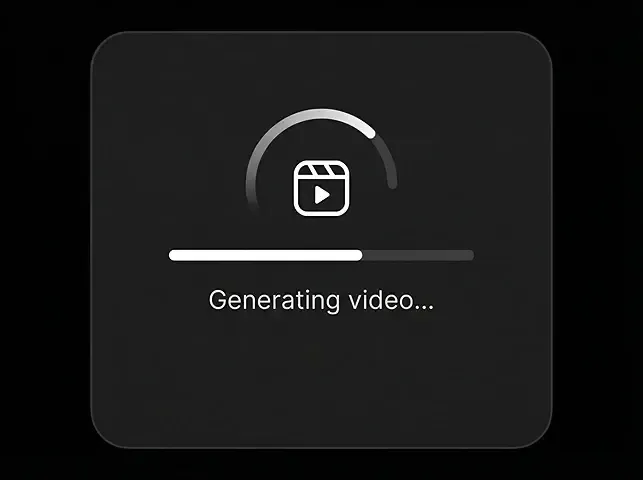
Generate Video
Click generate and watch Gen-4.5 bring your ideas to life in seconds.
Download the video
Export a clean MP4 when you're ready.
Gen-4.5 Core Capabilities
Runway Gen-4.5 is strongest when you want a controlled image-to-video workflow with cleaner motion, better physics, and more deliberate camera language.
Image to Video First-Frame Control
Use an uploaded still as the anchor frame so motion begins from an approved product, character, or brand image instead of from a blank generation.
Higher-Quality Motion
Gen-4.5 improves the realism of movement, momentum, and surface detail so shots feel less floaty and more physically grounded.
Better Temporal Consistency
Fine details such as hair, fabric, reflections, and textures stay more coherent across time, which matters for premium-looking commercial clips.
Complex Multi-Element Scenes
The model handles more intricate compositions with multiple objects, moving pieces, and layered environments better than simpler one-subject generators.
Cinematic Camera Direction
Prompts can specify pan, orbit, tracking, dolly, and close-up language so the output follows a clearer shot plan.
Marketing-Ready Formats
Generate short clips in common aspect ratios for landing pages, paid ads, TikTok, Reels, Shorts, and other commercial placement needs.
Gen-4.5 Prompt Workflow: From First Frame to Final Clip
The most reliable Gen-4.5 results usually come from a five-stage workflow: frame, motion, camera, review, then delivery. It is a tighter process than treating every generation like a blank-canvas prompt.
Frame Setup
Choose the right image first. A clean, on-brand first frame reduces drift later and gives the model a stronger visual anchor.
Motion Direction
Describe the next action clearly: subject movement, environmental response, and the exact beat that should happen over the clip.
Camera Language
Add shot direction such as dolly-in, orbit, pan, low angle, or close-up so the result follows a more intentional cinematic plan.
Output Review
Check temporal consistency, product fidelity, reflection behavior, background stability, and whether the model obeyed the motion brief.
Delivery Fit
Export the version that best matches channel needs such as a 9:16 ad, a 16:9 hero visual, or a 1:1 social cut without overcomplicating the generation.
Workflow Checklist
| Metric | Frame | Motion | Camera | Review | Delivery |
|---|---|---|---|---|---|
| Goal | Lock the visual base | Clarify what changes | Direct the shot | Catch drift early | Ship the best cut |
| Input | Strong still image | One motion idea | Shot grammar | Rendered clip | Approved export target |
| Focus | Composition and lighting | Subject action | Movement and framing | Consistency and detail | Channel fit |
| Output | Stable first frame | Clear motion brief | Structured prompt | Selected best variant | Publish-ready clip |
| Move on when |
Gen-4.5 vs Other AI Video Models
Gen-4.5 is strongest when you want image-anchored motion, cinematic camera control, and higher-fidelity temporal consistency inside a short-form commercial workflow.
| Metric | Gen-4.5Recommended | Veo 3.2 | Kling 3.0 | Seedance 2.0 | Sora 2 | Wan 2.7 |
|---|---|---|---|---|---|---|
| Max Duration | 10s | 10s | 25s | 15s | 25s | 15s |
| Resolution | 1080p | 1080p | 4K/60fps | 1080p | 1080p | 1080p |
| Image Reference Support | Strong | Yes | Limited | Yes | Yes | Yes |
| Motion / Physics Realism | High | High | Medium-High | Medium | High | Medium |
| Temporal Consistency | High | High | Medium | Medium | Medium-High | High with references |
| Best At | Image-led cinematic motion | Audio-rich realism | Long high-spec shots | Multi-modal generation | Prompt-led cinematic control | Reference-heavy workflows |
| Best Workflow Fit | First frame -> motion -> export | Prompt -> render -> export | Prompt -> render -> revise | Multi-input -> render | Prompt -> generate -> refine | Reference -> render |
Why Use Gen-4.5 on Topview
Topview makes Gen-4.5 more useful for commercial teams by putting model testing, export planning, and adjacent workflows into one place instead of making every prompt a one-off experiment.
All-in-One Model Access
Test Gen-4.5 alongside Veo, Sora, Kling, Wan, and other leading models in one workspace instead of rebuilding the same idea across separate tools.
Cleaner Prompt Iteration
Topview helps teams compare prompts, first frames, and outputs more systematically so motion testing is faster and less wasteful.
Faster Shipping
Move from still image to usable landing-page media or ad creative faster by keeping generation and export planning closer together.
Team Collaboration
Share outputs with teammates, align on the best variation, and reduce back-and-forth when a campaign needs multiple short-form video options.
Marketing Workflow Fit
Use Gen-4.5 outputs inside a broader Topview workflow for product marketing, ads, hero visuals, short-form content, and creative testing.
All-in-One Creation Workflow
From image to video to publishing, Topview lets you complete the whole workflow in one place instead of switching between separate tools.
Start Creating with Gen-4.5
Animate a strong first frame, direct the camera with clear motion prompts, and export a cleaner short clip for ads, product storytelling, or landing-page media.
First-frame control · Cinematic motion prompts · Short-form commercial output