Topview
    • MCP/Skill
    • Plugin
    • API
    • Pricing
    1. Home
    2. AI Video Generator
    3. Tiktok Video

    AI Ads

    AI Video AgentAI Ads VideoAI Product VideoAI UGC VideoURL to Video

    AI Avatar

    AI Avatar GeneratorProduct AvatarDesign My AvatarAI Lip Sync

    AI Video

    AI Video GeneratorDrama StudioAI Video Body SwapAI Video UpscalerAI Video Watermark RemoverTikTok Watermark RemoverSora Watermark RemoverSubtitle RemoverAI Motion ControlAI Lip SyncURL to Video

    AI Image

    AI Image GeneratorAI Face SwapAI Image Character SwapAI Image UpscalerAI InpaintAI Image Text EditorPhoto Angle EditorAI RelightingAI Product PhotographyAI Virtual Try-OnAI Storyboard GeneratorExtract Color PaletteImage to Prompt

    AI Voice

    VoiceoverAI Voice CloningAI Music Generator

    3D

    3D World Generator3D Shot Composer

    Use Cases

    AdvertisingAffiliate MarketingEcommerceDTC BrandsAI Live Stream

    Resources

    BlogAffiliate ProgramLearning CenterAlternativeAPI

    Company

    Topview StudioPrivacy PolicyTerms
    Topview

    © 2026 TOPVIEW PTE. LTD.

    Singapore: 20 Collyer Quay #20-03, Singapore 049319
    Los Angeles: 15970 Los Serranos CC Dr #251, Chino Hills, CA 91709

    AI TikTok Video Generator: A Script Becomes 9:16—No Shoot Required

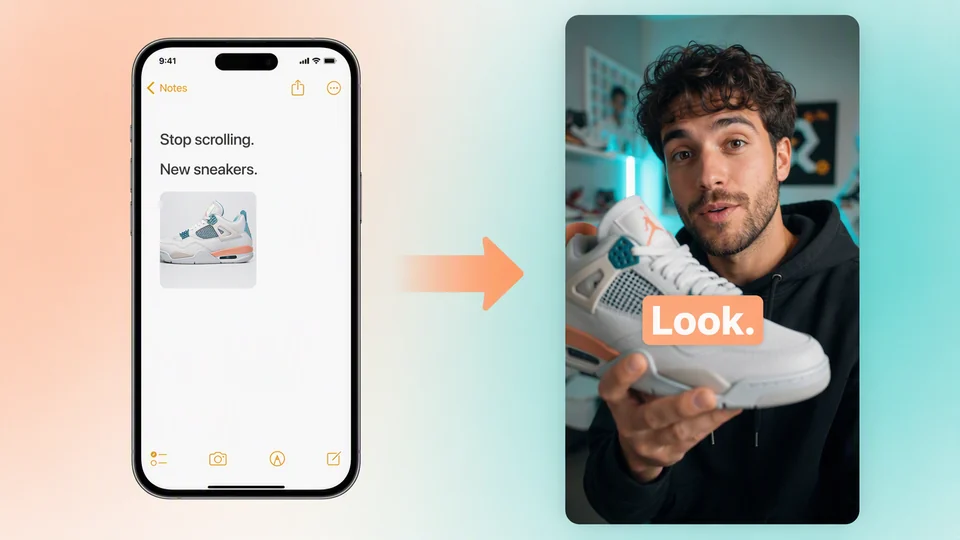
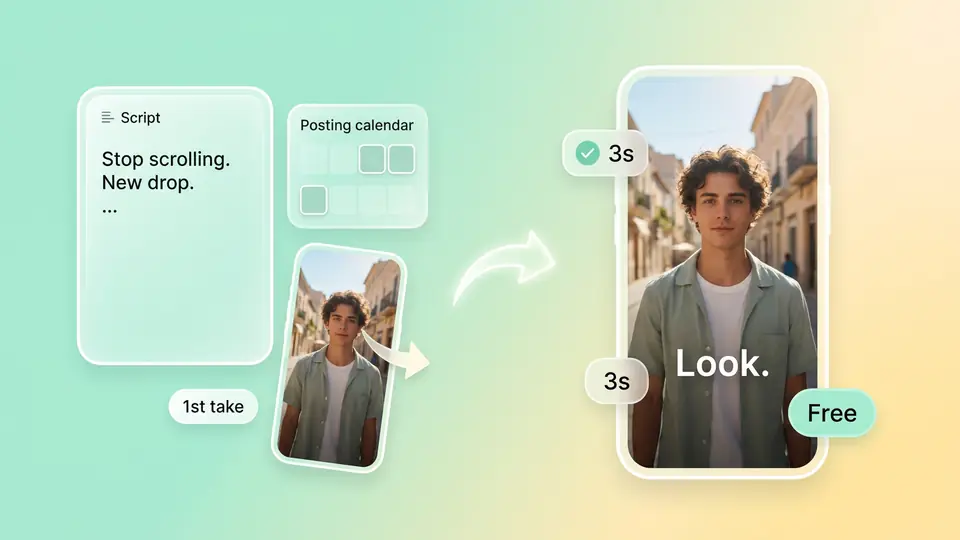
    Topview is for scripts stuck in notes and daily posts that die because you cannot film or will not go on camera. Use text, image, video, or audio to turn a short script into a TikTok vertical draft. Set 9:16 on generate; if the first 3 seconds miss, change the prompt and run again. Polish in Canvas.

    Ask Topview to

    Check the First-3-Second Hook and On-Screen Text Before You Generate

    Topview will not pick a viral template for you. The examples only show how TikTok holds attention: is the opening fast enough, and can mute scrollers read the words? Then write your own version in the prompt and generate daily variants.

    First-3-Second Hook: Hold Them Before They Swipe

    Keep the script core, change only the opening line or pacing, and re-test the first seconds with this AI TikTok video generator—daily posting is an iterate workflow.

    On-Screen Captions: Readable on Mute

    Put short lines in the prompt so mute TikTok scrollers can follow—no dedicated caption track, but on-screen text is prompt-controlled.

    Script to TikTok Video: Four Inputs, One 9:16 Draft

    This is Topview’s core path: paste a short script or idea, attach a product still, reference clip, or audio if you have one, and generate a 9:16 vertical draft. If you will not go on camera, write the picture, product, and pacing into the prompt—not a faceless template library, a prompt-led generate.
    Free AI TikTok video generator

    Free AI TikTok Video Generator: Credits First, Then Daily Volume

    Topview gives free credits so you can generate a sample on your own script. Check whether the first 3 seconds hold, then scale TikTok daily posting—do not lock the first opening, and no subscription required to start.

    Best AI Video Generator for TikTok: Check These Four Capabilities

    Looking for a TikTok AI video generator? See whether Topview has: 1) text, image, video, and audio inputs 2) native 9:16 vertical export 3) the same script can re-run the first 3 seconds 4) the finished cut can continue in Canvas. Miss one, and the daily workflow stalls.

    Make a Vertical Clip With an AI TikTok Video Generator (3 Steps)

    1. 1

      Four inputs: script plus optional image, video, or audio

    2. 2

      Set 9:16, duration, and resolution, then generate

    3. 3

      Re-run the first 3 seconds, or continue in Canvas

    FAQs

    Turn a script, idea, or media reference into a 9:16 TikTok vertical draft. Text, image, video, and audio all work as inputs, so you can ship a postable sample without filming and fill the daily calendar.

    Use free credits to upload a script or write a prompt, set 9:16, duration, and resolution, then generate. Try a few takes for free and test the first 3 seconds before you scale.

    Write the picture, product, and pacing in the prompt, then generate—optionally attach a reference clip. Topview is not a faceless template library: there is no tap-to-post style pack. Style comes from the prompt.

    Check four things: four inputs, native 9:16 export, the same script can re-run the first 3 seconds, and the cut can continue in Canvas. If a tool promises five variants from a pasted link or guaranteed For You reach, that is a different category.

    Keep the same script and references, change only the opening line, angle, or pacing in the prompt, and generate a few takes to compare the first 3 seconds. Topview is an iterate workflow—not a one-tap clone of today’s trending sound.

    There is no dedicated caption track; if you need mute readability, put short lines in the prompt. Add trending audio from TikTok’s official library at publish time—the generator is not a music catalog and does not promise beat-sync.

    Do not move a Reels original across as-is—watermarks and compression can hurt TikTok distribution. Topview is built to generate a TikTok-specific 9:16 draft; you can also rewrite the opening for For You.

    Turn a Script Into the First TikTok Vertical Draft

    Generate the first cut free: four inputs, 9:16 vertical, first 3 seconds you can re-run, then Canvas. Get the daily rhythm going, then decide whether to scale.

    Start free