



Topview
    • MCP/Skill
    • Plugin
    • API
    • Pricing
    1. Home
    2. Plugin
    3. Claude Plugin

    AI Ads

    AI Video AgentAI Ads VideoAI Product VideoAI UGC VideoURL to Video

    AI Avatar

    AI Avatar GeneratorProduct AvatarDesign My AvatarAI Lip Sync

    AI Video

    AI Video GeneratorDrama StudioAI Video Body SwapAI Video UpscalerAI Video Watermark RemoverTikTok Watermark RemoverSora Watermark RemoverSubtitle RemoverAI Motion ControlAI Lip SyncURL to Video

    AI Image

    AI Image GeneratorAI Face SwapAI Image Character SwapAI Image UpscalerAI InpaintAI Image Text EditorPhoto Angle EditorAI RelightingAI Product PhotographyAI Virtual Try-OnAI Storyboard GeneratorExtract Color PaletteImage to Prompt

    AI Voice

    VoiceoverAI Voice CloningAI Music Generator

    3D

    3D World Generator3D Shot Composer

    Use Cases

    AdvertisingAffiliate MarketingEcommerceDTC BrandsAI Live Stream

    Resources

    BlogAffiliate ProgramLearning CenterAlternativeAPI

    Company

    Topview StudioPrivacy PolicyTerms
    Topview

    © 2026 TOPVIEW PTE. LTD.

    Singapore: 20 Collyer Quay #20-03, Singapore 049319
    Los Angeles: 15970 Los Serranos CC Dr #251, Chino Hills, CA 91709

    Install the plugin to get 5 H3 + 5 Wan 3 + 10 GPT Image 2.5 generations free

    Pro plan and above only.Benefits are auto-granted after authorization. Wan 3 only—Wan 3 Prime is not supported. 720p/480p only. GPT Image 2.5 is limited to 1K + Medium.

    Topview Claude plugin for your agent

    Your creative workspace inside your Agent. Create images, videos, and campaigns directly from your Agent. Agent handles intent. Canvas handles direct manipulation.

    Quick install

    Codex
    Cursor
    Claude Code
    Blender

    /goal Read https://github.com/topviewai/plugins/blob/main/docs/claude.md to install TopviewAI, complete OAuth, and set up a new task for me. After installation and authorization succeed, introduce to me what things the Topview plugin can do.

    Claude Code

    New chat
    Plugins
    Scheduled

    Projects

    Topview

    Video generation task2h

    User
    User
    Voice

    Topview Plugin Usage

    Work with Codex
    Topview Canvas
    Topview Canvas
    Canvas
    Canvas status bar

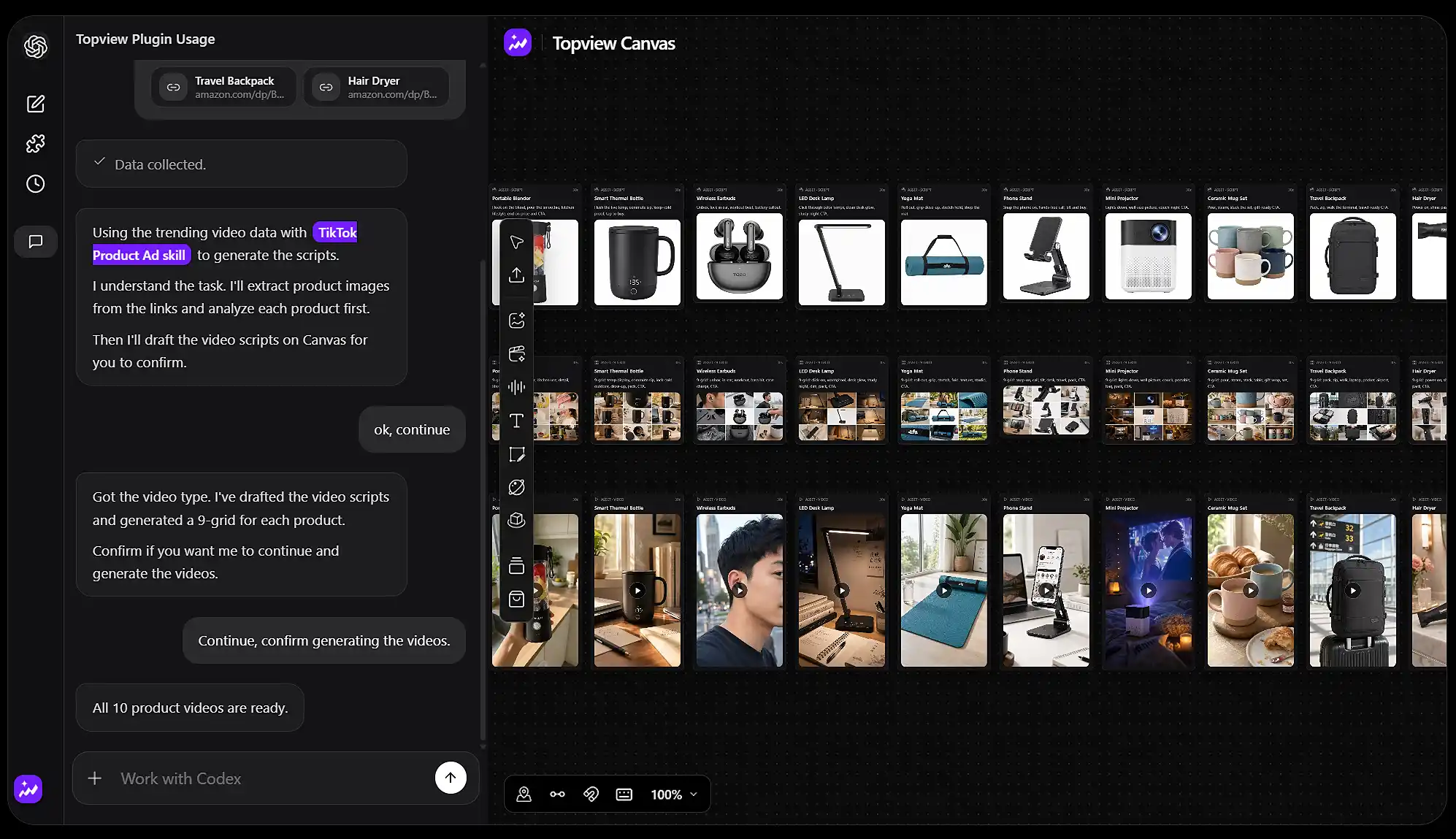
    What the Topview Claude plugin can do

    Run complete production workflows from your Agent: batch ecommerce ads, marketplace data, viral remakes, and short dramas.


    Topview Canvas
    Topview Canvas
    Canvas
    Canvas status bar

    What the Topview Claude plugin adds to your Agent

    Your Agent can plan the work. Topview gives it a Canvas to generate, edit, and finish images, videos, and 3D scenes without leaving the conversation.

    Let your Agent drive Topview Canvas

    Let your Agent drive Topview Canvas

    Ask the Agent to create, edit, and process images, video, and audio on Topview Canvas. It can place assets, run tools, and keep the full job in one workspace instead of handing you a pile of files.
    A full Canvas toolset for the Agent

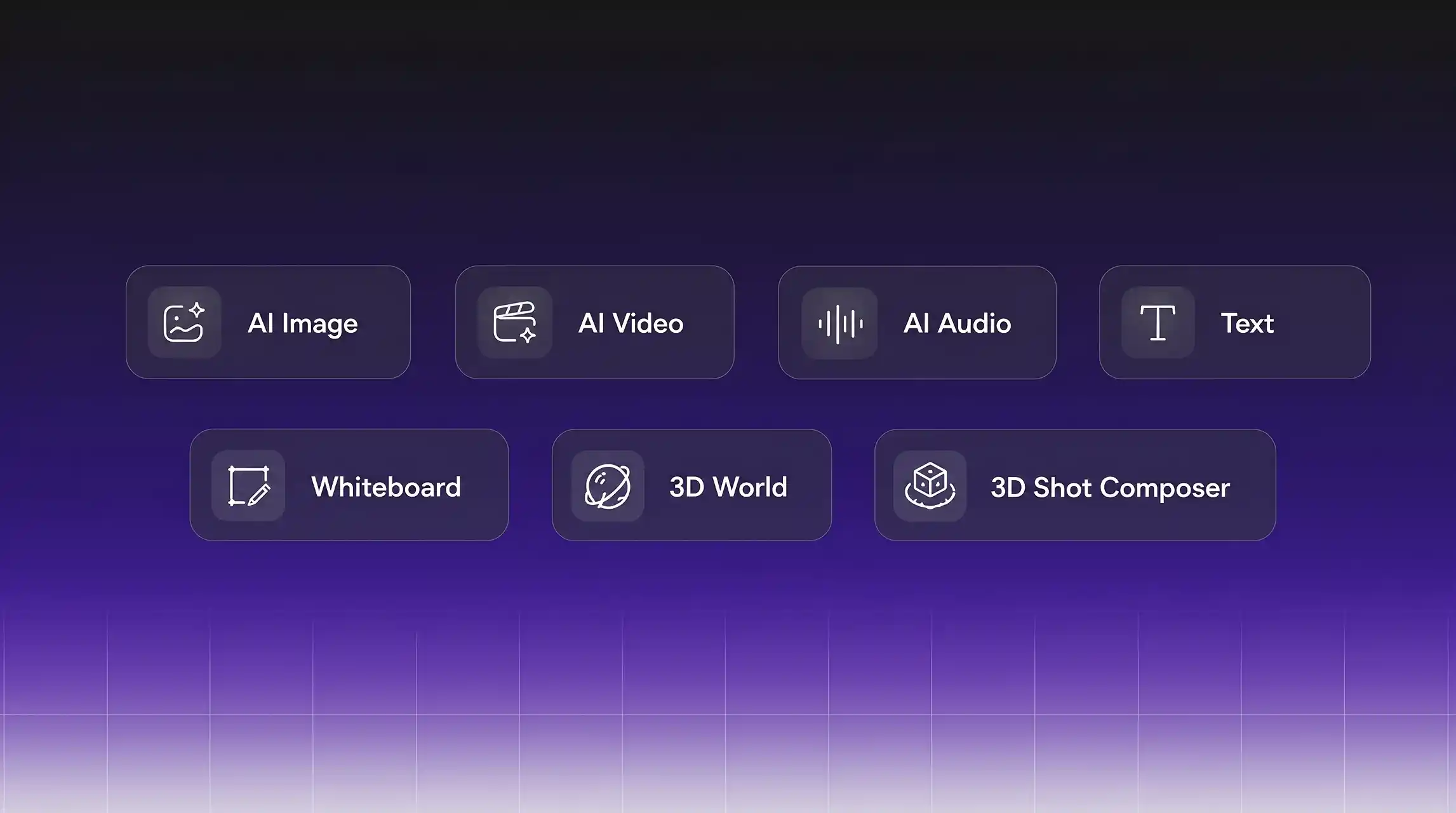
    A full Canvas toolset for the Agent

    Use node links, snap-to-align, a minimap, and groups to keep a complex board readable. Asset cards stay in sync when you update a source. Add Draw to Edit, product cards, color-palette extract, video extend, crop, and prompt reverse without leaving Canvas.
    A rich library of built-in video skills

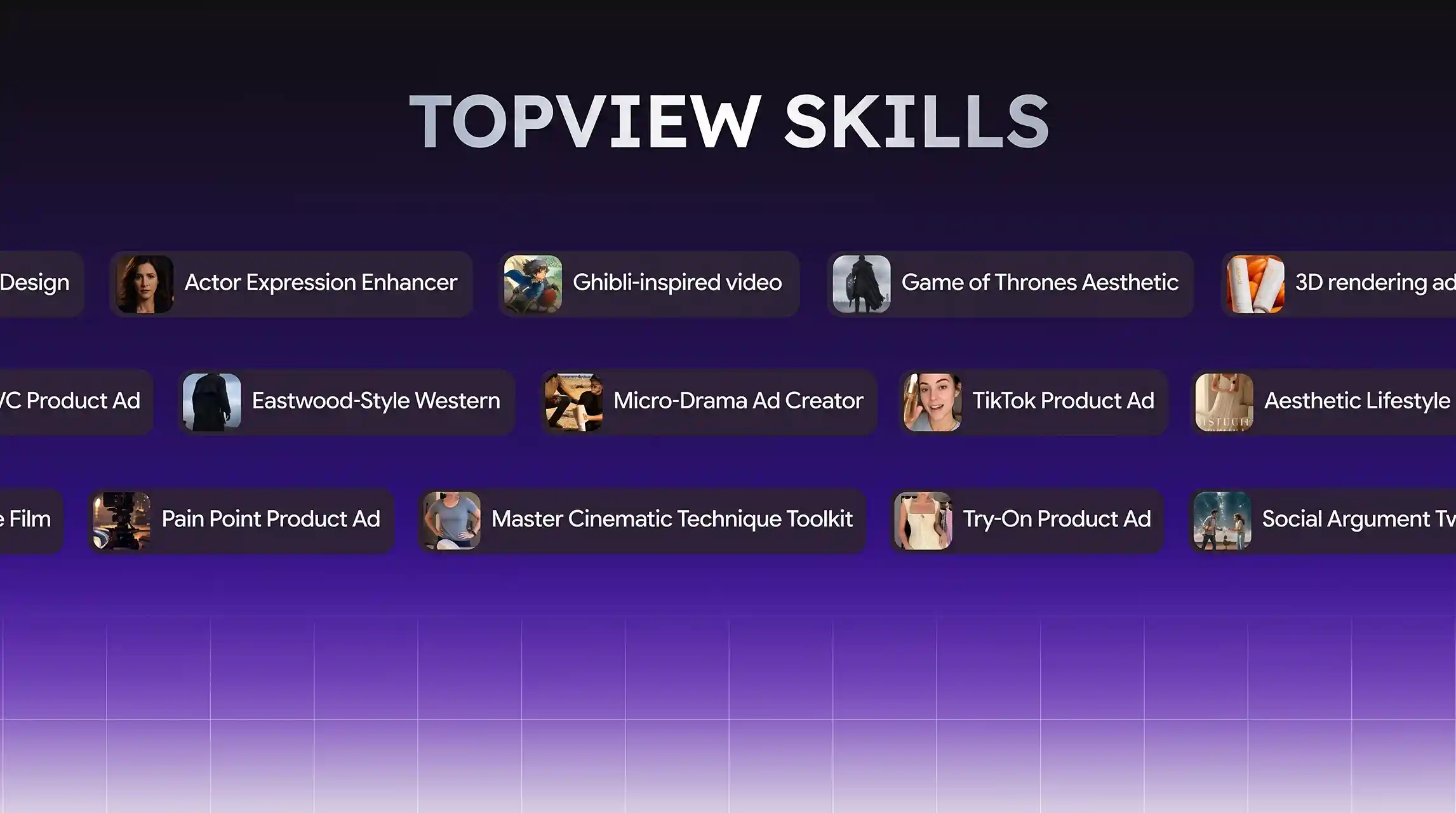
    A rich library of built-in video skills

    Call ready-made video skills from the same Agent flow — TikTok Product Ad, Micro-Drama Ad Creator, Try-On Product Ad, Pain Point Product Ad, plus looks like Ghibli-inspired video and cinematic toolkits. Pick a skill, attach your product, and generate without leaving the conversation.
    Supports TikTok, YouTube, Amazon, and Shopee data lookup

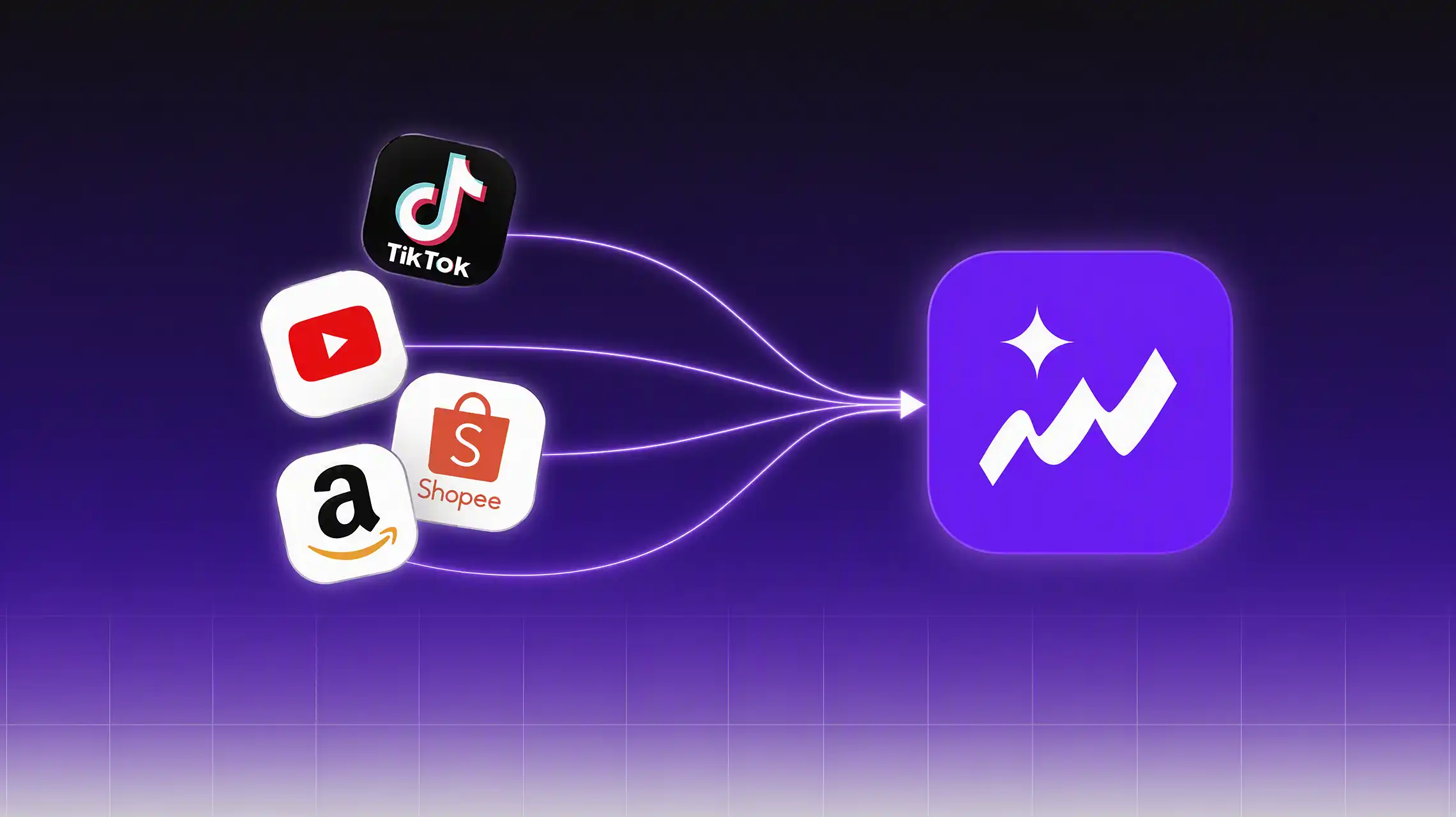
    Supports TikTok, YouTube, Amazon, and Shopee data lookup

    Generate more than one kind of product video, and query ecommerce data from TikTok, YouTube, Amazon, and other platforms so scripts follow what is actually selling and trending.

    Built-in industry-leading video and image models

    Topview Skill connects your agent to the most capable video and image generation models available—no config files, no API keys to juggle.


    Seedance 2.5
    Seedance 2.5
    wan3
    wan3
    minimax h3
    minimax h3
    Kling 3
    Kling 3
    omni
    omni
    Vidu Q3
    Vidu Q3
    GPT Image 2
    GPT Image 2
    nanobanana2
    nanobanana2

    How to use it

    https://chatgpt.com/plugins/plugin_asdk_app_6a9fb9b1df58819183cf46812fc795df?q=topview After installation and authorization succeed, introduce to me what things the Topview plugin can do.

    Step 1: Copy the install command and send it to your agent

    Install the Topview Claude plugin first so agent can call the relevant capabilities.

    U

    Step 2: Send your creation request to your agent

    Send prompts, images, product photos, portraits, or audio-related requests directly to your agent.

    Step 3: Get the result

    Your agent will automatically call the right Topview capability to generate video, image, avatar, or audio results for you.

    Frequently asked questions

    The Topview Claude Plugin gives an AI Agent a creative workspace for images, videos, campaigns, and Canvas. It lets the Agent move from context and intent to generated assets without a separate copy-and-paste workflow.

    This page provides installation prompts for Codex, Cursor, and Claude Code. Each prompt points the Agent to its platform-specific setup guide so it can install Topview, complete authorization, and continue in the correct workflow.

    Your Agent can run complete Canvas workflows: batch ecommerce ads, viral remakes, and short dramas. It can call built-in video skills such as TikTok Product Ad, Micro-Drama Ad Creator, Try-On Product Ad, and Pain Point Product Ad, and look up ecommerce data from TikTok, YouTube, Amazon, and Shopee.

    No. Unlimited does not support any automated workflows. That means it cannot be used with Topview MCP, Plugin, or Skill.

    Use the Agent when it is easier to explain intent, reason through options, or make a complex creative decision. Use Canvas when it is easier to show the change directly by arranging, trimming, replacing, reordering, or fine-tuning visual content.

    Topview keeps the characters, scenes, products, props, and reference assets in a project connected to the generation workflow. The Agent can use that context across new shots without requiring you to find and reattach every reference each time.

    Images, videos, references, and variations created through the Agent are organized in Topview Canvas. You can review how assets relate, compare versions, keep selected outputs, and continue the project without treating chat history as the final workspace.

    No. Topview includes ready-made video skills you can start from, including TikTok Product Ad, Micro-Drama Ad Creator, Try-On Product Ad, Pain Point Product Ad, plus Ghibli-inspired and cinematic toolkits. Your Agent can pick a skill, attach your product, and generate without leaving the conversation.

    Yes. Research, product discussions, creative ideas, and planning already understood by the Agent can become useful production context. This reduces the need to reconstruct the brief before turning insights and decisions into scripts, visuals, and videos.

    Topview is suited to workflows that combine thinking and making: batch ecommerce ads, viral remakes from a reference video, and multi-round short drama production from idea to script, storyboard, shots, and final video. The Agent can also look up TikTok, YouTube, Amazon, and Shopee data so scripts follow what is selling and trending.

    The platform-specific prompt asks the Agent to read the official installation guide, install Topview, and complete OAuth. Codex and Claude Code then set up a new task, while Cursor follows its documented single-restart authorization handoff.

    Copy the featured Codex goal at the top of this page. It directs Codex to read the official codex.md guide in the topviewai/plugins repository, install TopviewAI, complete OAuth, and set up a new task for you.